Your Business. In your Control.

Control Your Business.
Not Just Accounts.

Know your profit, cashflow, stock, and decisions — in real time.

Running a business… but still guessing?

Sales are growing… but profit is unclear.
Stock is full… but dead items keep increasing.
Cash is coming… but never staying.

Most systems only record data. They don't help you understand your business.

Everything your business needs

One platform. Every operation. Connected.

Work Faster. Save Hours Daily

Do in minutes what used to take hours — invoices, books, reports — with a single interface that connects every department.

Smarter Business Decisions

ML and AI analysis, plus single-click dashboards, surface the information you need exactly when you need it.

All Operations Connected

Intelligent alerts keep every business function in sync — from rate deviations to inventory thresholds — before they become problems.

Clear Reports & Instant Insights

Deeply integrated processes mean any report or data point is reachable in a few clicks — no digging required.

Find Profit Opportunities

Predictive analytics and machine learning identify new revenue avenues and flag risks before they affect your bottom line.

Smart Communication

Email any report as PDF, Word, or Excel directly from the app — with auto-filled contacts, subject lines, and cover-letter templates.

Four Pillars. One System.

BRS is built around the four functions that drive every business — tightly integrated so data flows everywhere automatically.

Sales

Manage customers, track leads, generate quotes, and monitor sales performance — all in one place.

Purchase

Streamline procurement with purchase orders, vendor management, and automated delivery tracking.

Accounting

Record transactions, manage payables & receivables, generate financials, and stay GST-compliant effortlessly.

Inventory

Track stock, monitor product movement, automate reordering, and optimise inventory turnover.

Enquiry, Quotation & Order Debit & Credit Notes GST Returns and Utilization Bank Reconciliation Proforma invoice Cash Income/Expenses Document Management Email Integration WhatsApp text/API Integration Smart Alerts BI Dashboards ML Recommendations

Which platform fits your business?

Both platforms deliver the same ERP modules. Pick the deployment that matches how you work.

Native

Desktop Application

Installed on your PC or server
  • Works fully offline — no internet required for daily use
  • Data stays on your local machine / server
  • Ideal for single location
  • Maximum local control & data privacy
  • Classic desktop experience
Best when you want full offline control and keep all data on your own systems.
Web

Browser-Based Application

Cloud or on-premises — your choice
  • Cloud-hosted: access from anywhere, on any supporting device (PC, Tablet, Mobile)
  • On local server/PC: access from other devices over LAN or WAN
  • Same modules as Native — enable only what you need
  • No client install — open in the browser and start
  • Ideal for multi-location teams and remote access
Host on the cloud for access from anywhere, or install on your local server/PC and use it across devices on LAN or WAN.

Not sure? Scroll down and switch between Native and Web screenshots to see both interfaces.

See it in action

A look at the focused, productive interface your team uses every day.

(Using Dummy Data)

Choose Platform

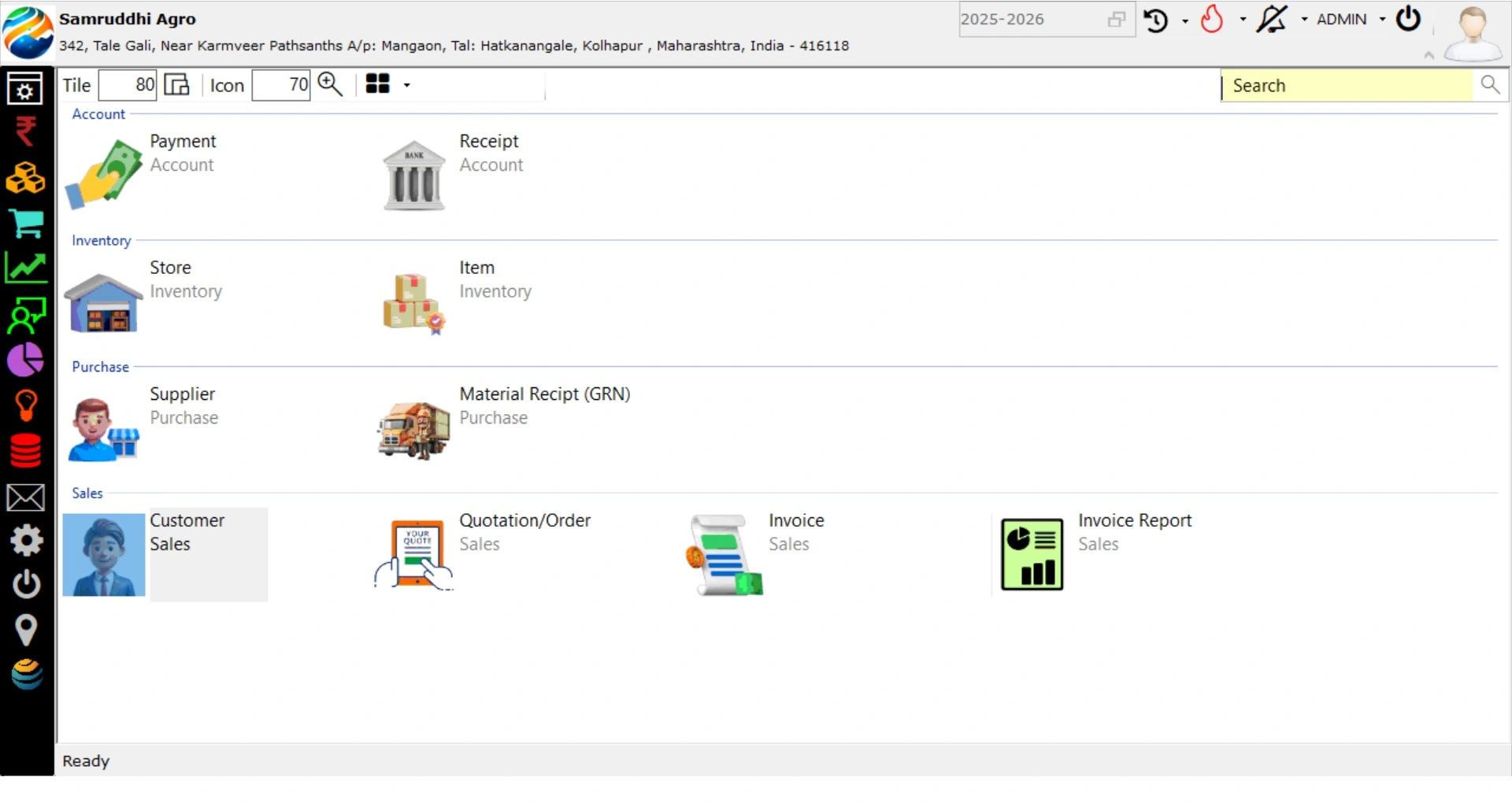
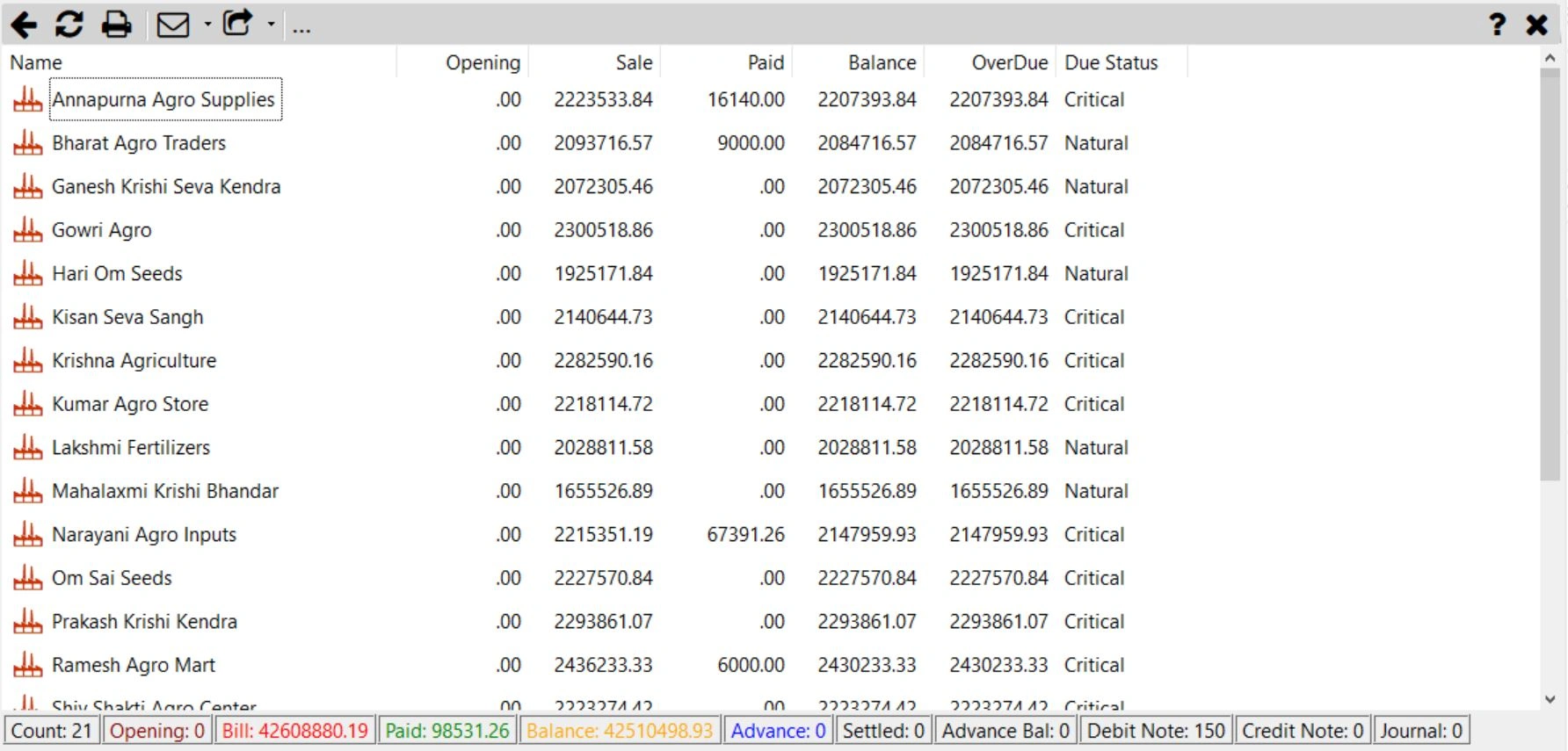
Desktop application interface

Main – Native
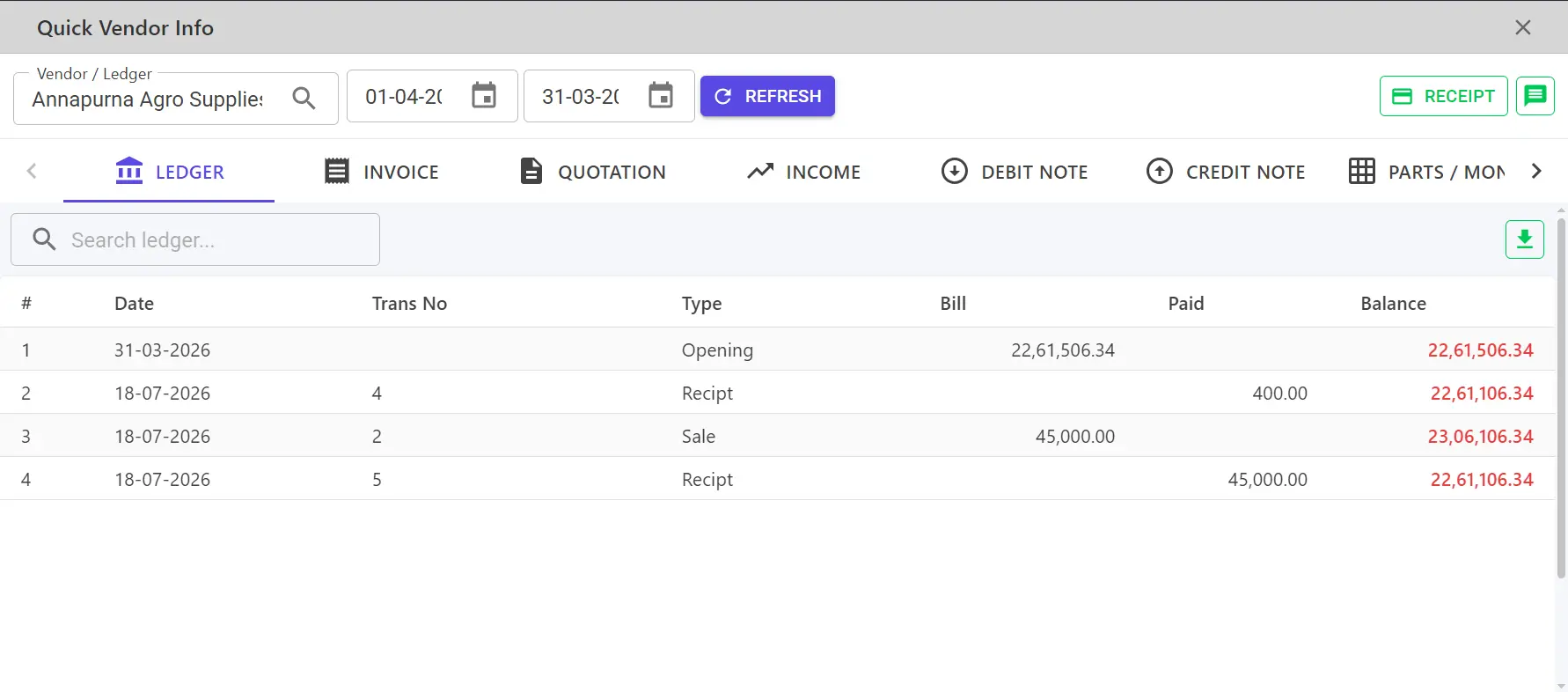
Vendor – Native
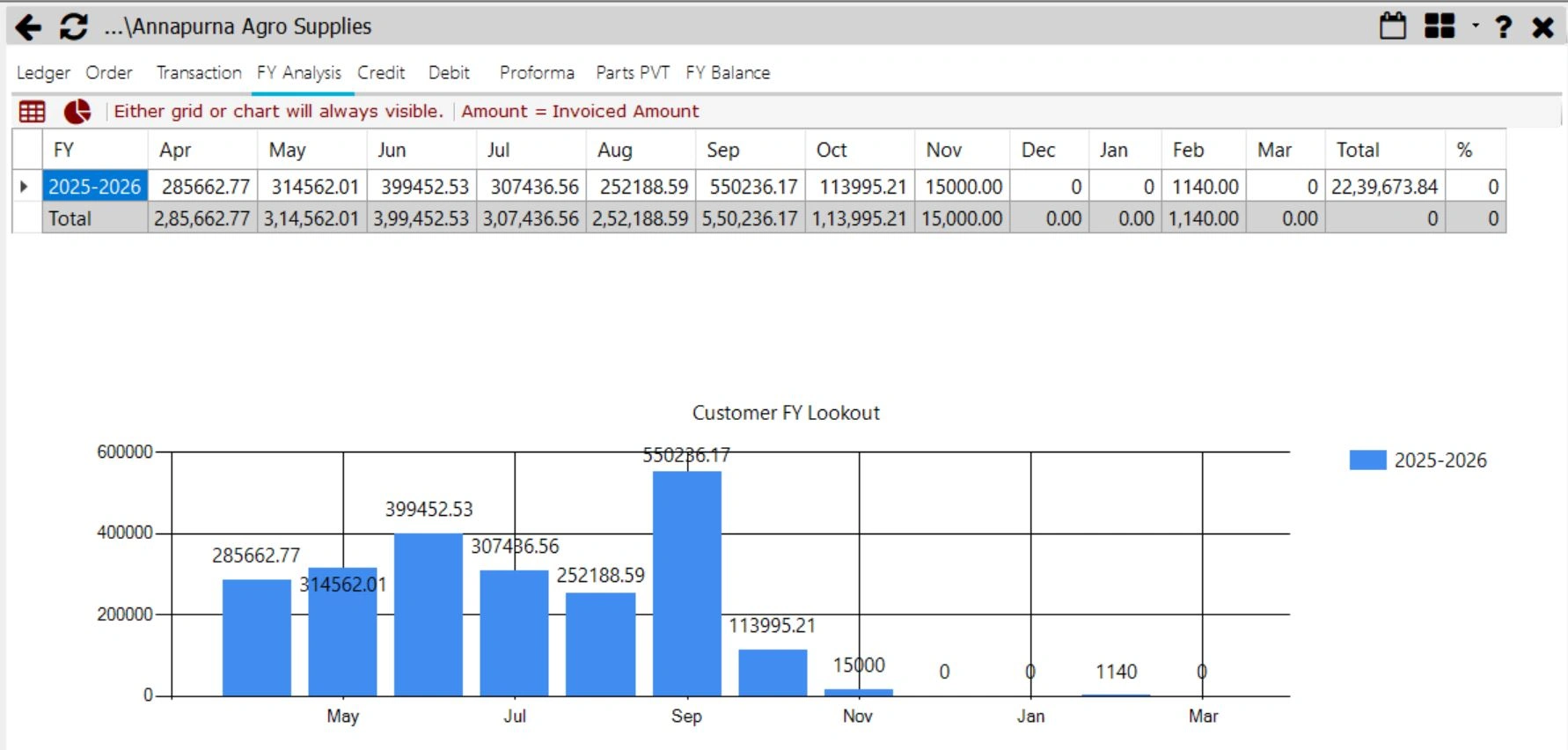
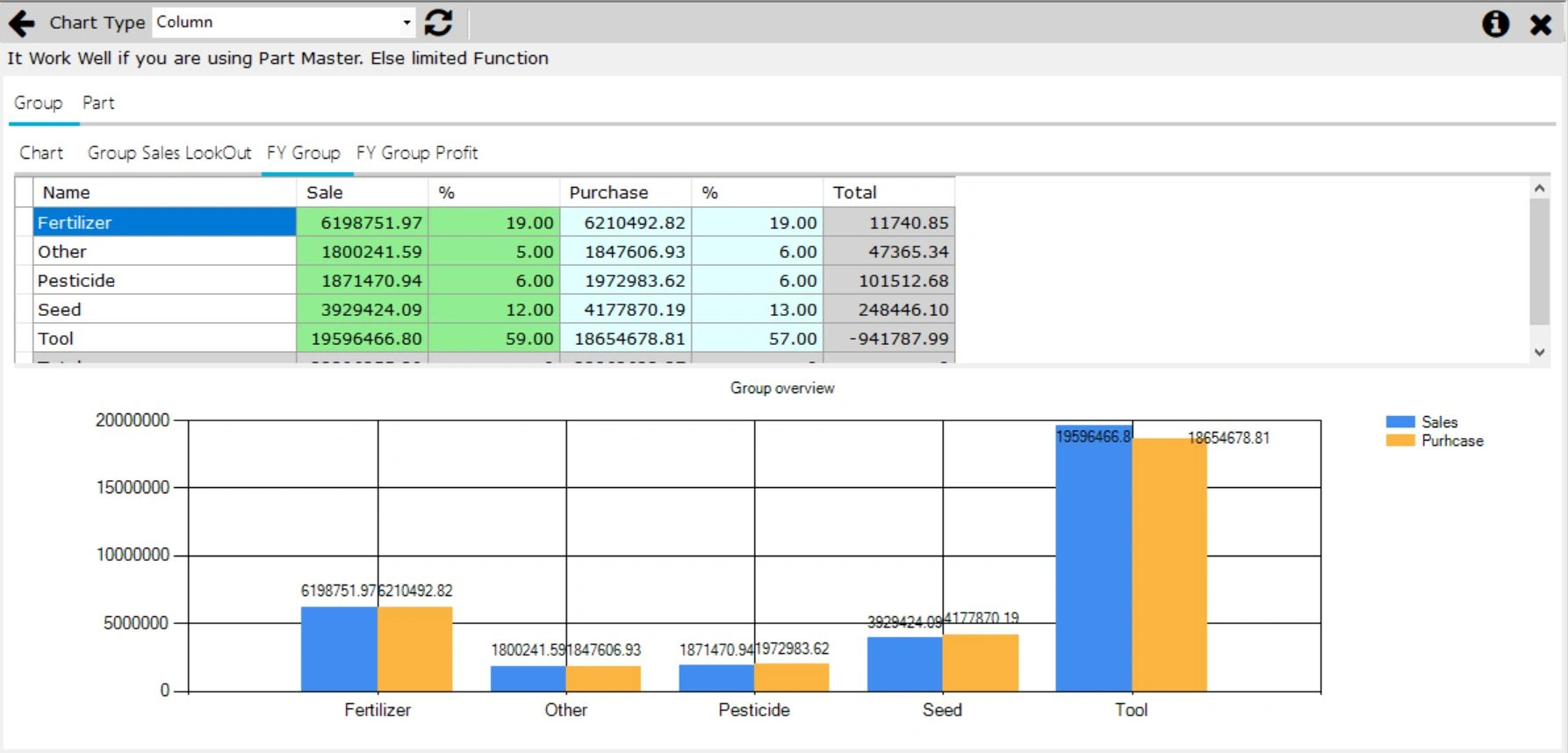
Analysis – Native
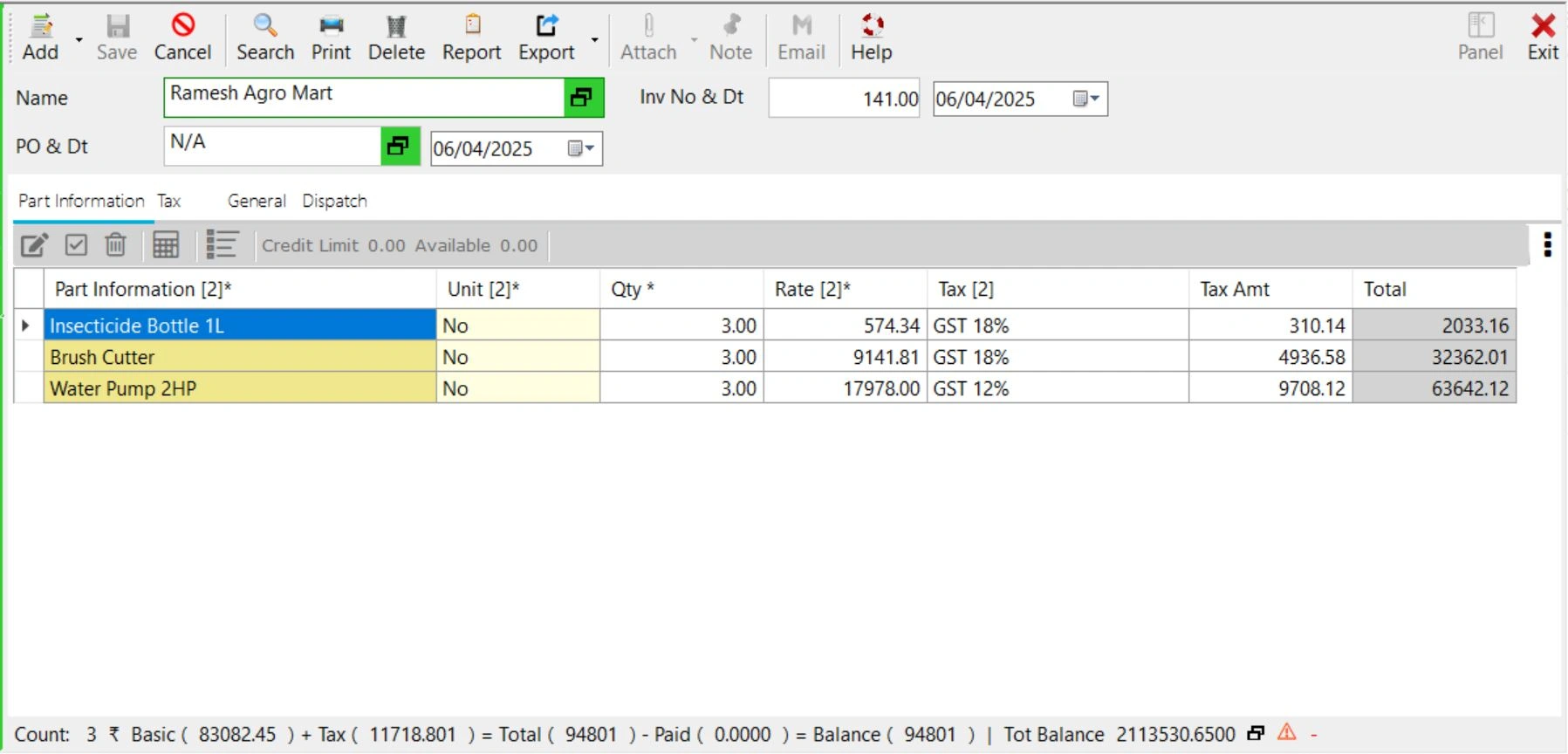
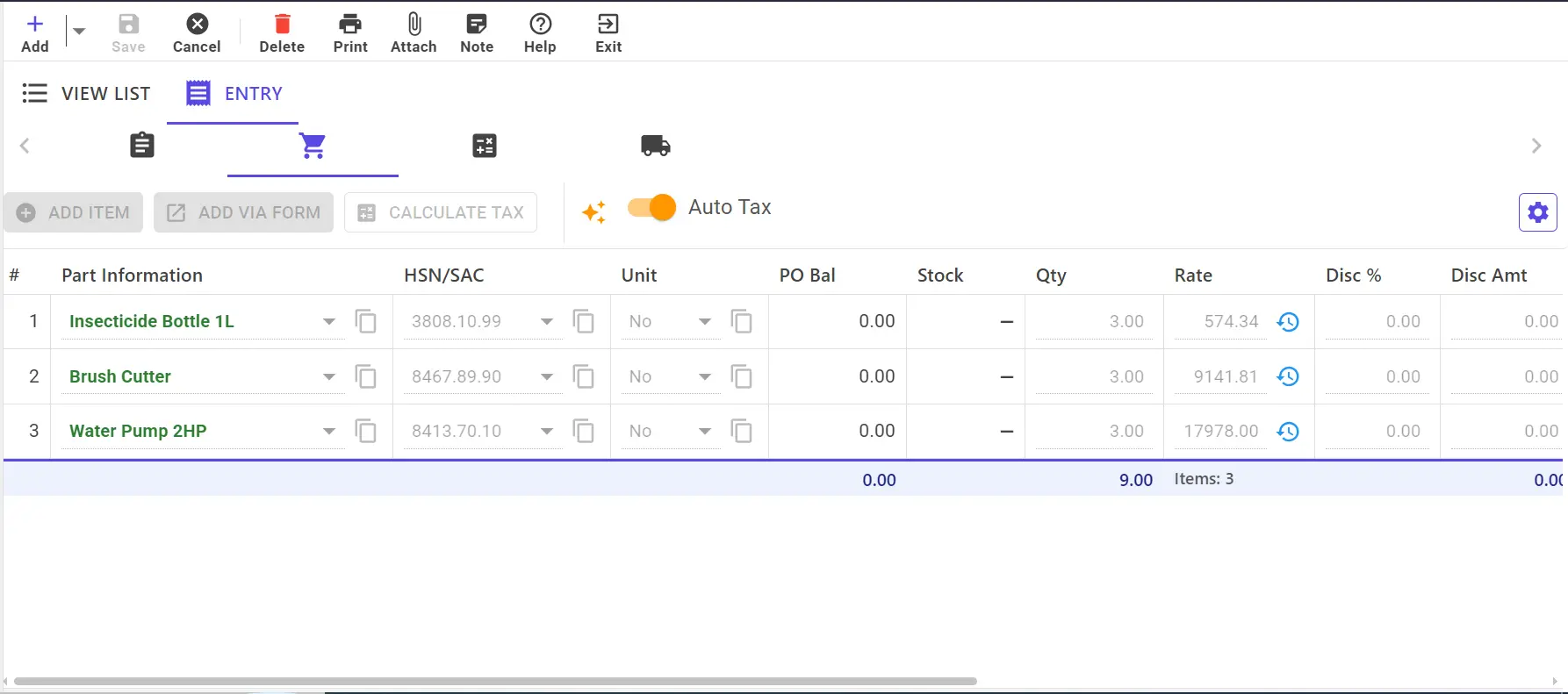
Invoice – Native
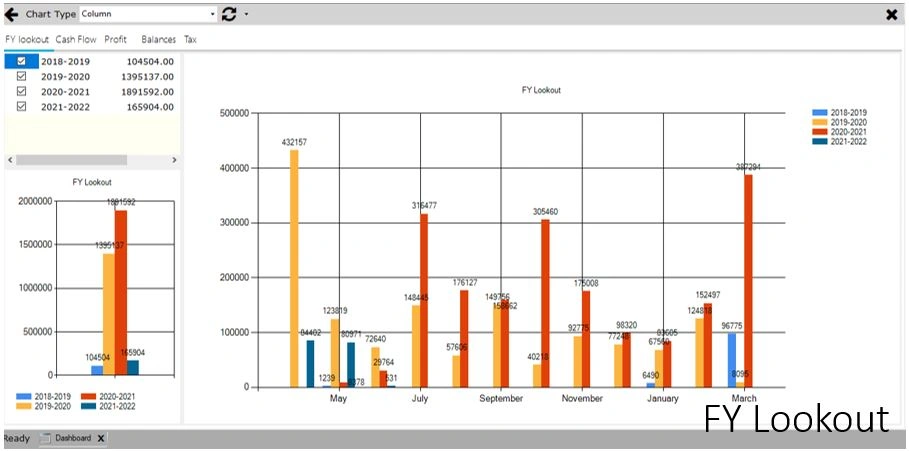
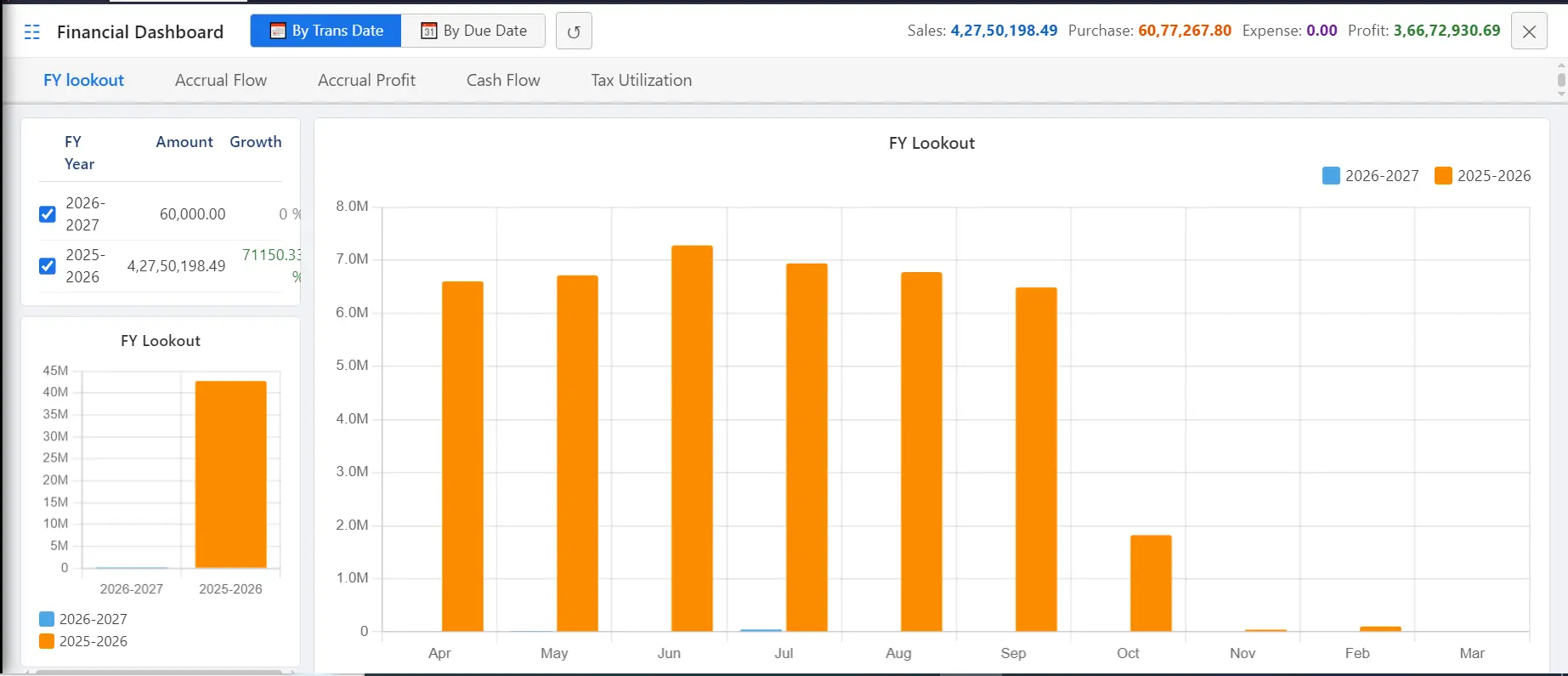
Lookout – Native
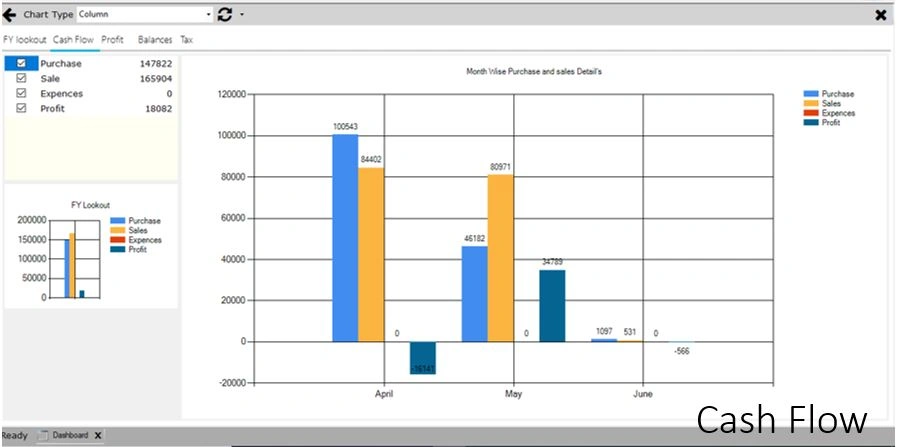
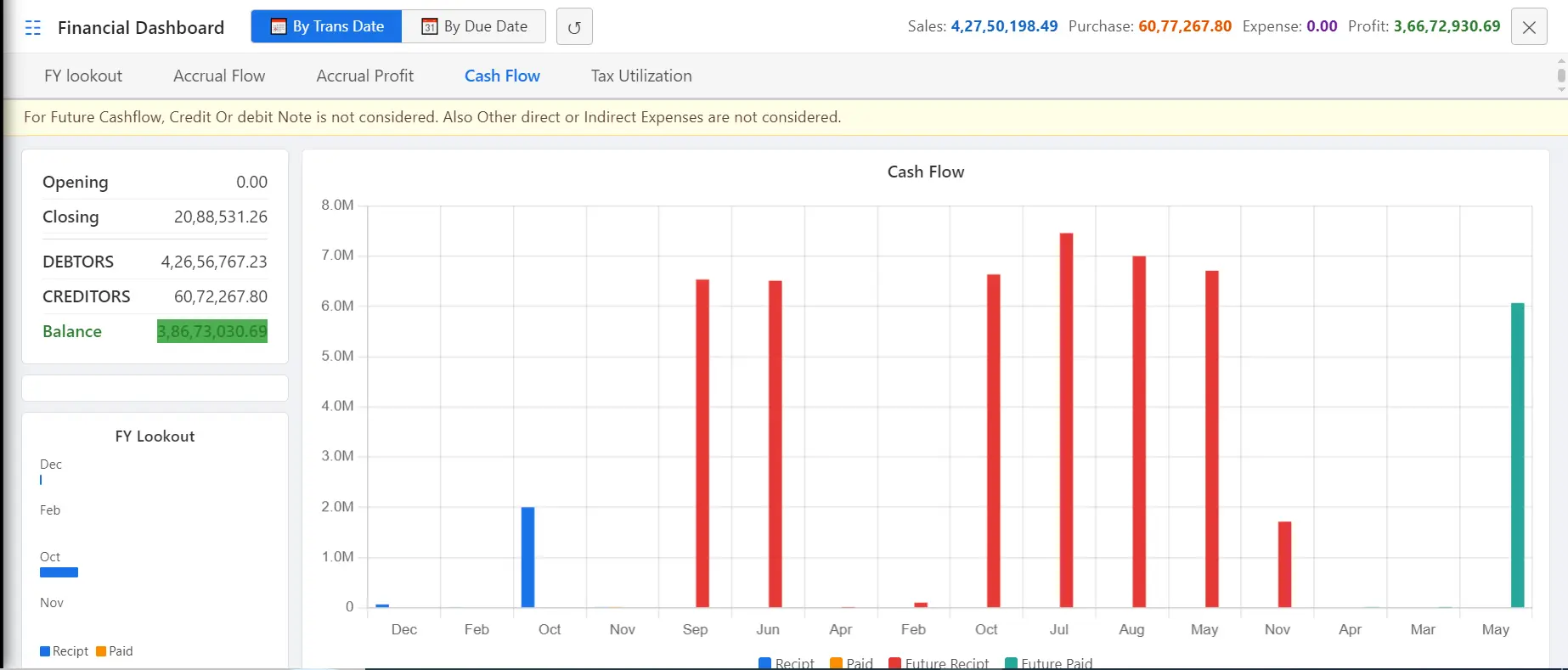
Cash – Native
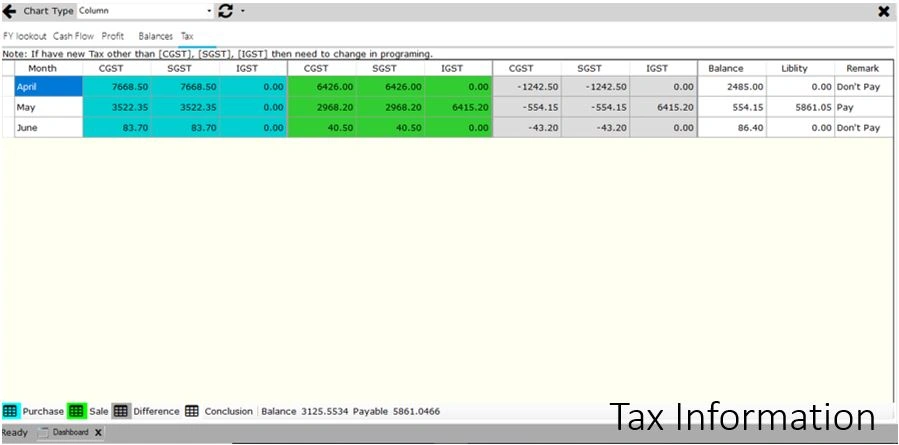
GST – Native
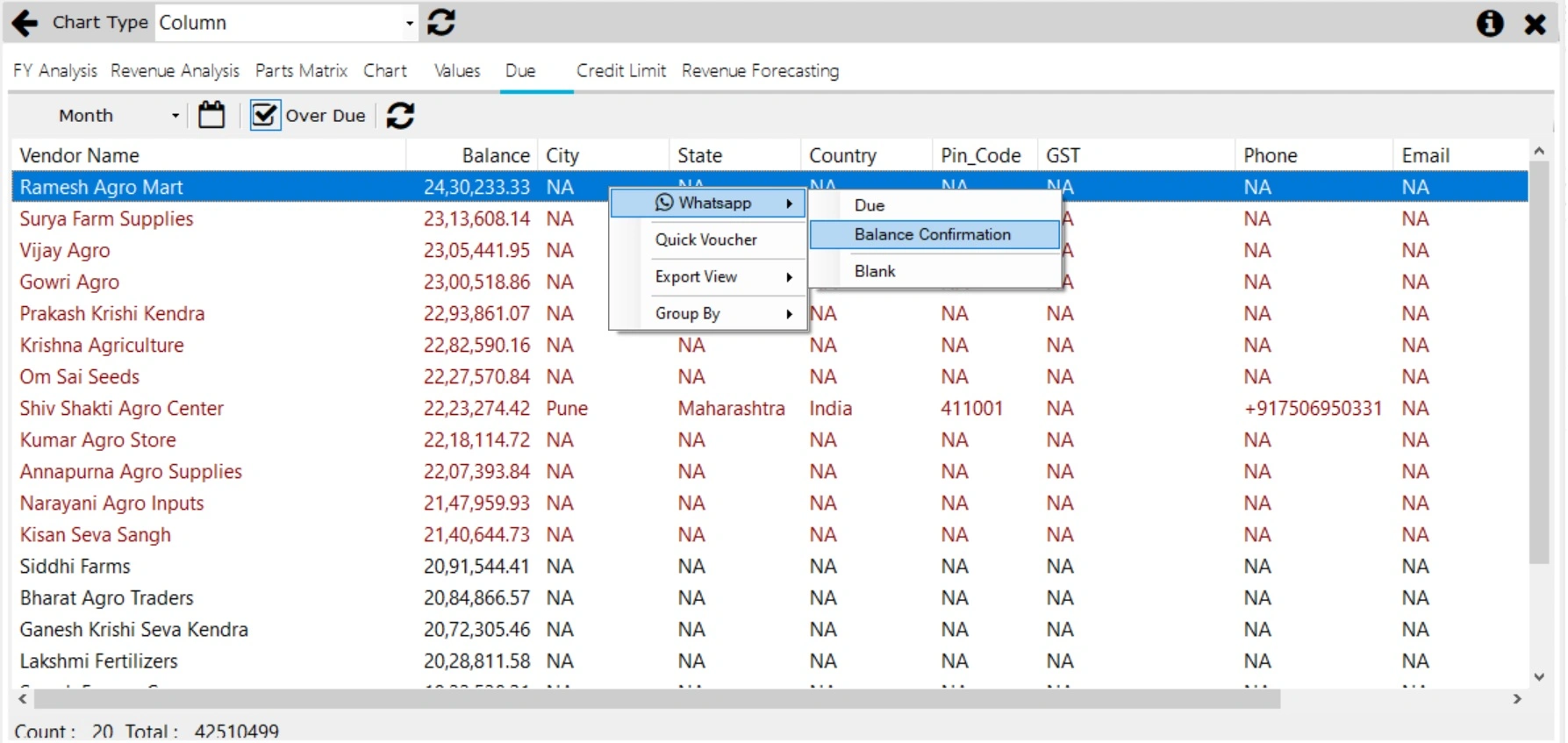
Due – Native
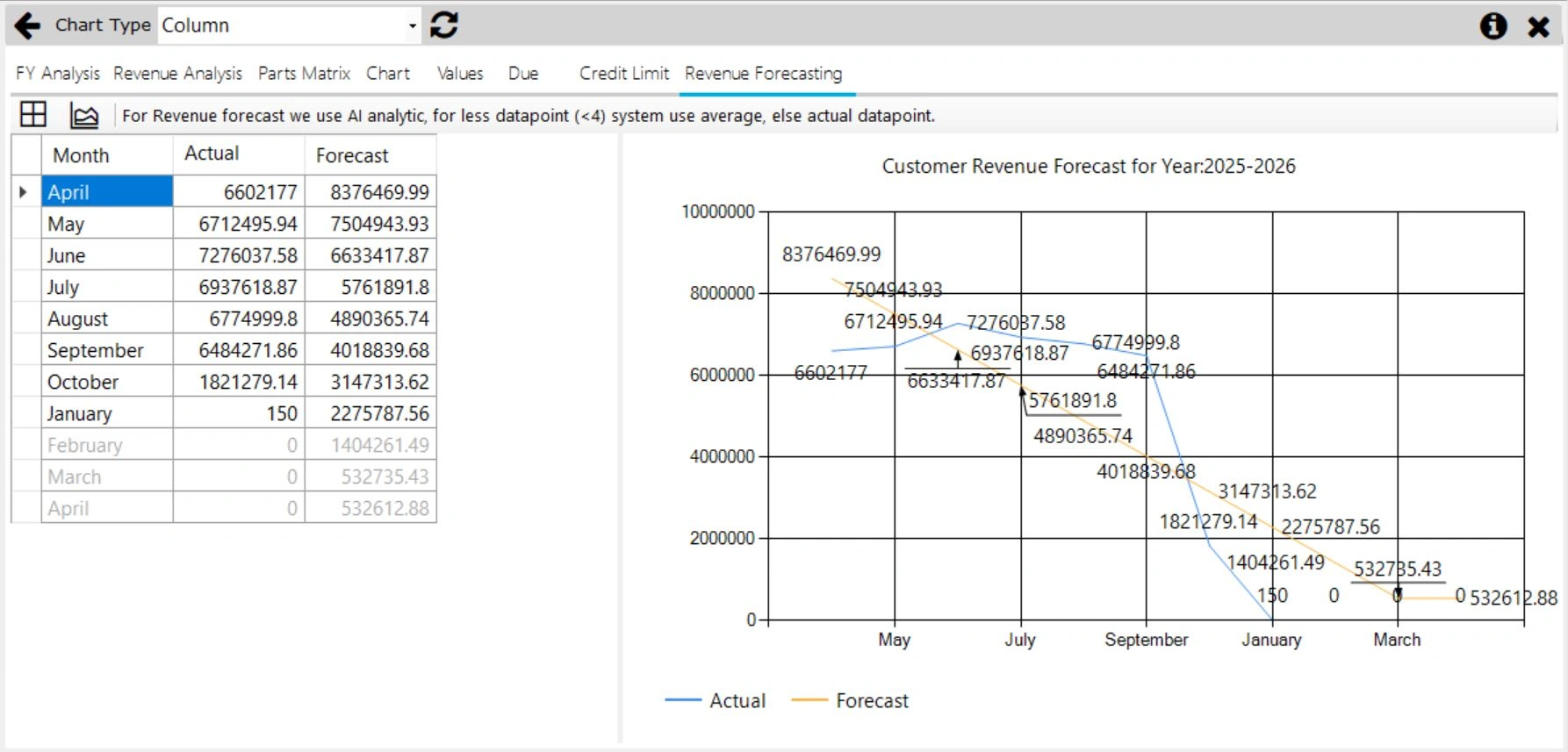
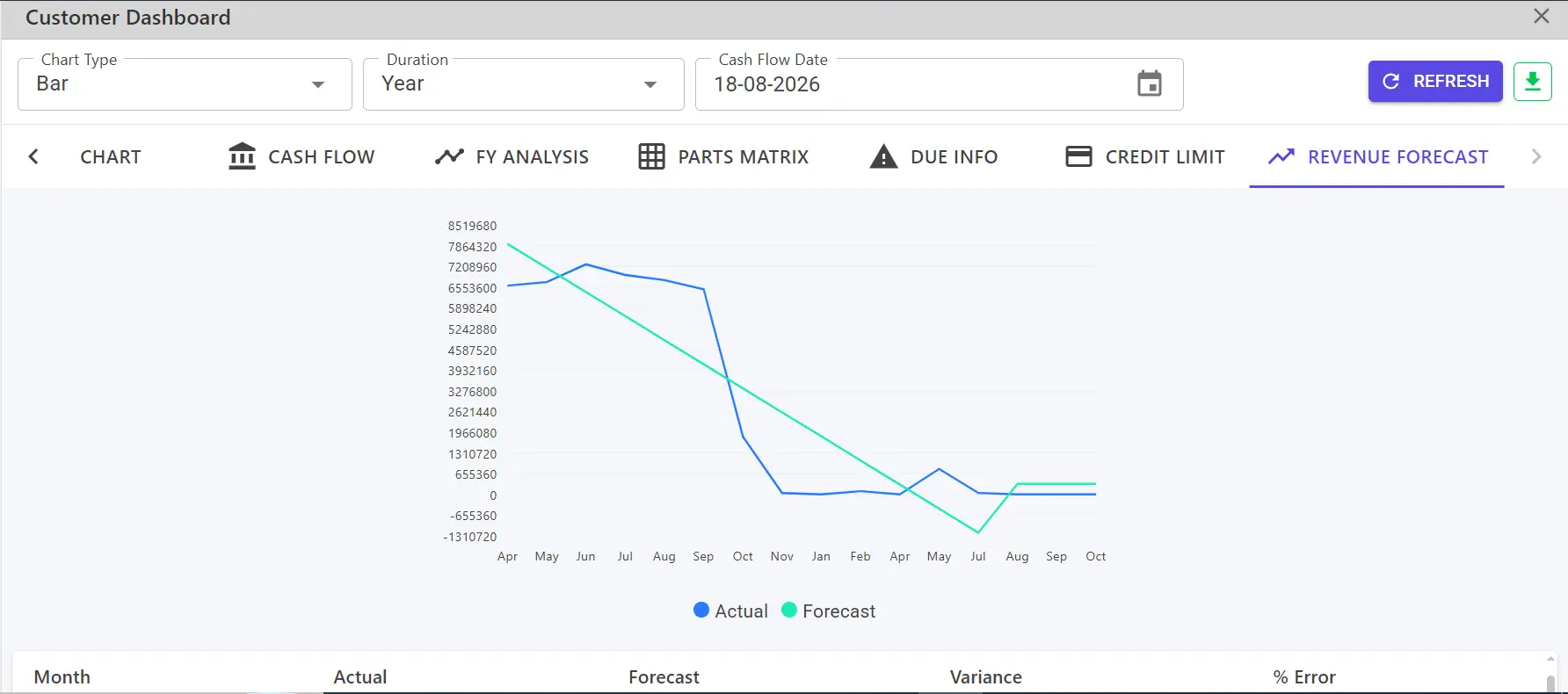
Revenue Forecasting – Native
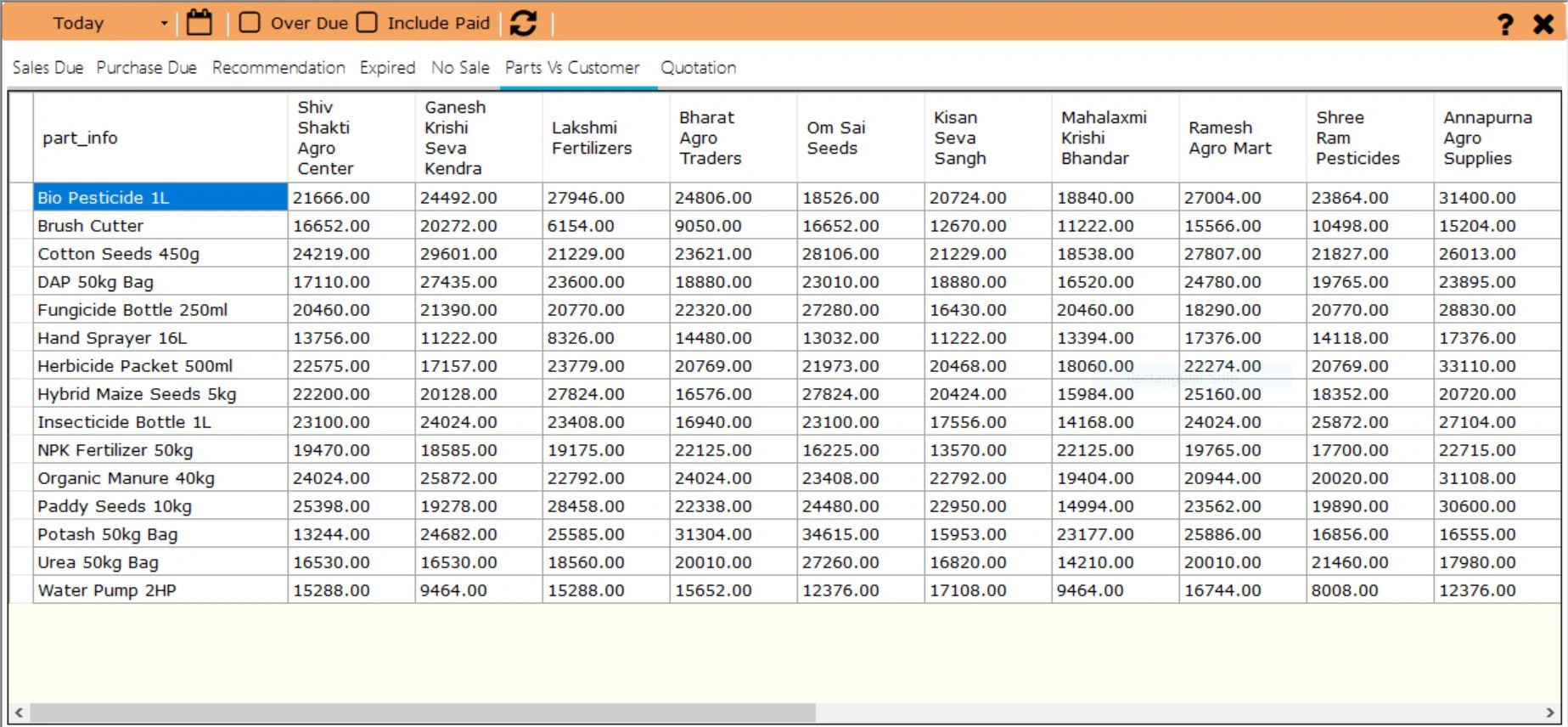
Matrix – Native
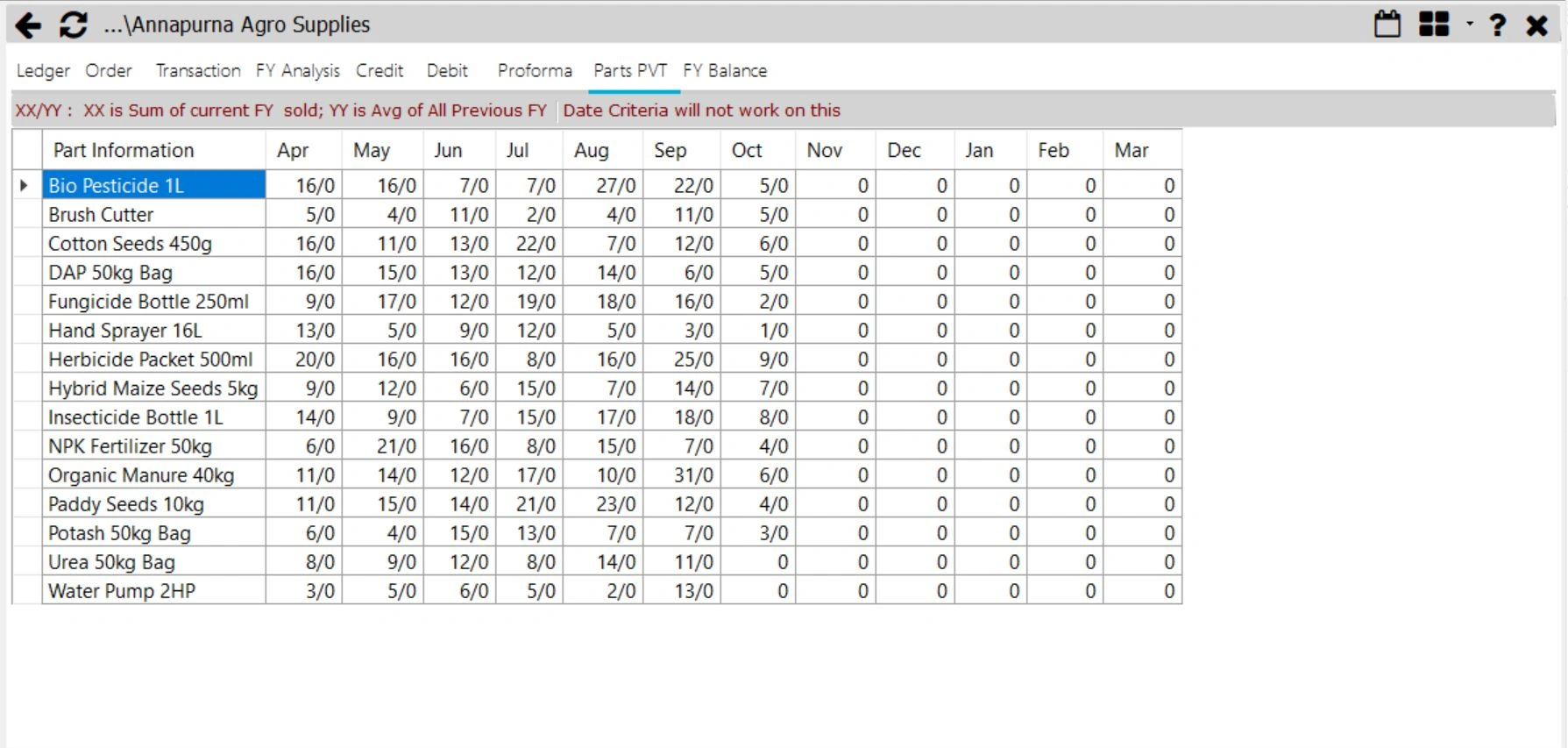
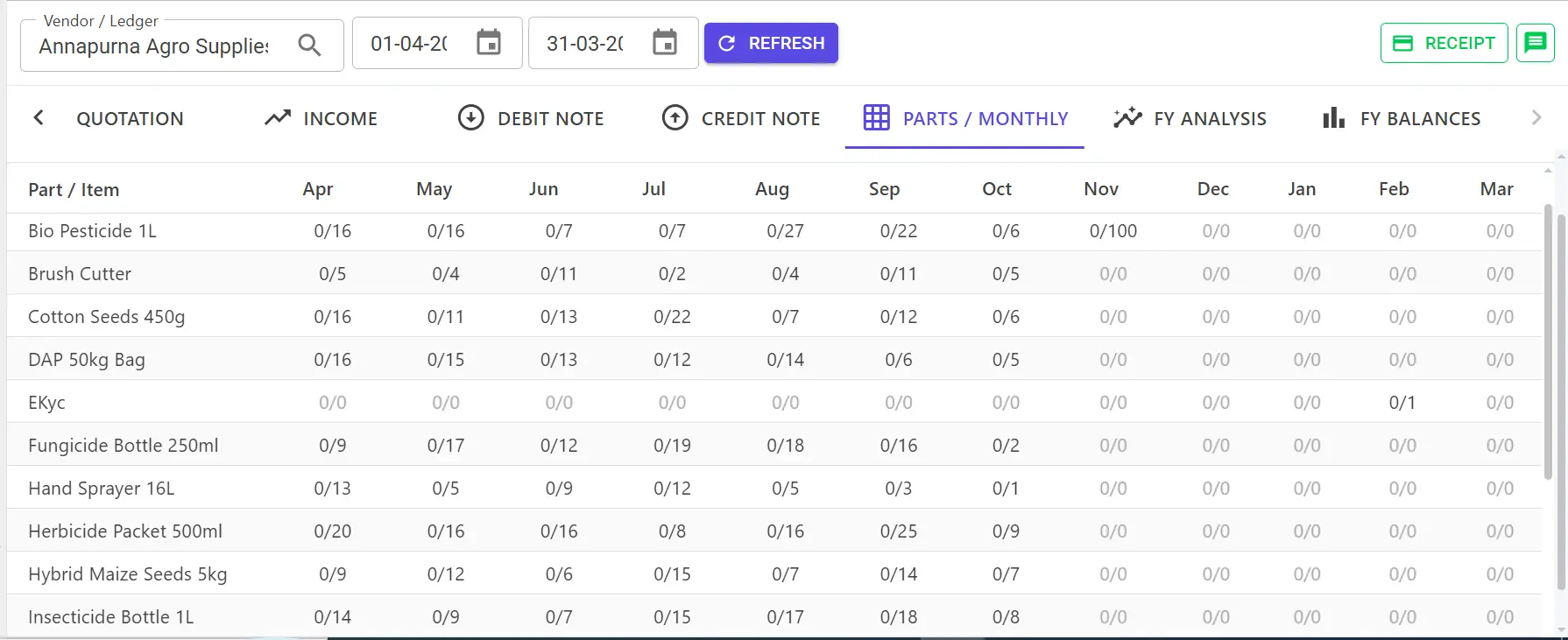
Parts Pvt – Native
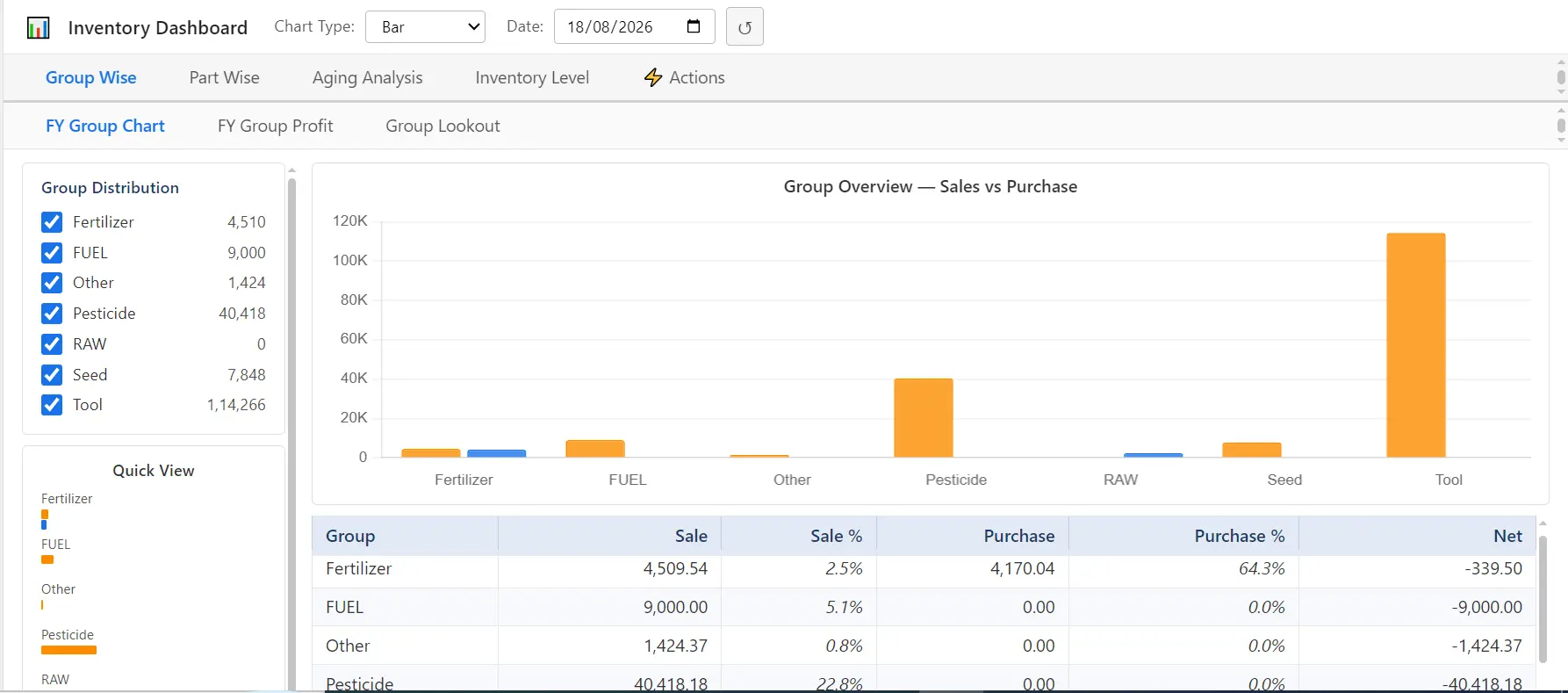
Inventory – Native
  • Export any Desktop or Grid to CSV — no extra tools needed.
  • Attach scanned bills, certificates, and documents to transactions with built-in Document Management.
  • Built-in machine learning surfaces opportunity recommendations automatically.
  • Formulated tax engine — configure GST & taxes without any programming.
  • Multi-user access with per-user role-based permissions.
  • 90% mouse-driven interface — minimal keyboard, maximum speed.
  • Domain-driven design keeps it simple yet powerful; anyone can use it without heavy training.

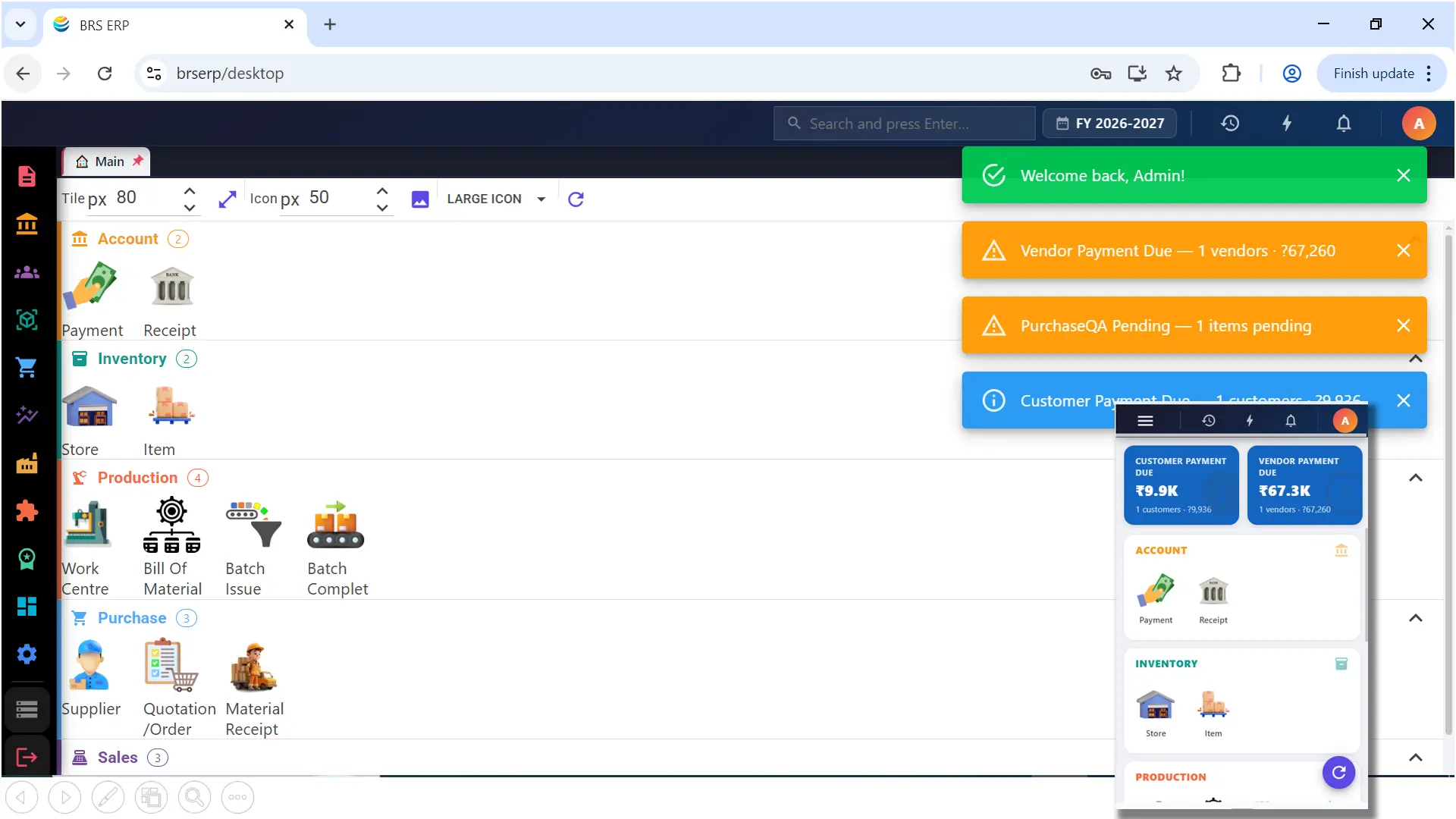
Modern browser interface — same modules. Host on cloud for access from anywhere, or on your local server/PC for access over LAN or WAN from PC, Tablet & Mobile.

Main – Web
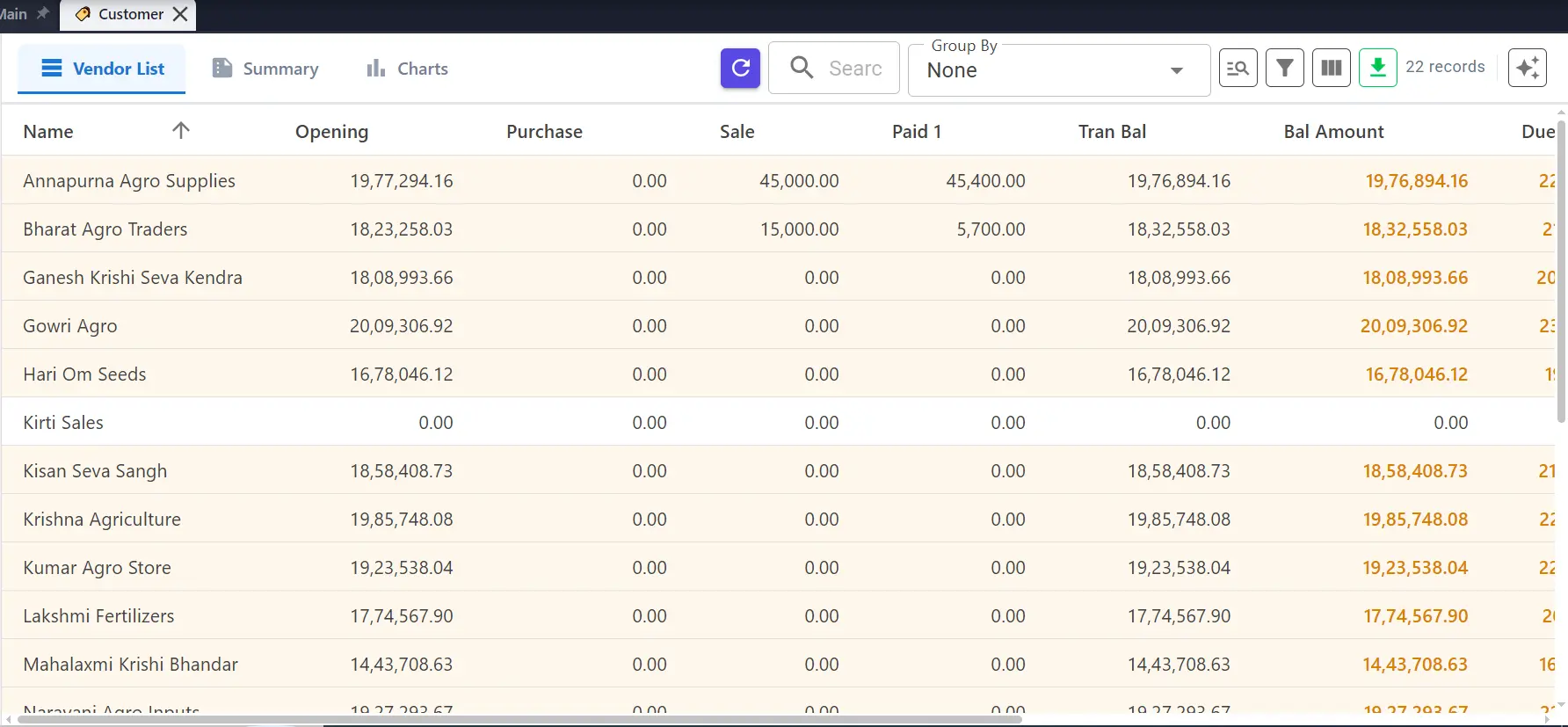
Vendor – Web
Analysis – Web
Invoice – Web
Lookout – Web
Cash – Web
GST – Web
Due – Web
Revenue Forecasting – Web
Matrix – Web
Parts Pvt – Web
Inventory – Web
  • Access from any browser — no installation required.
  • Same powerful modules as Native, available online.
  • Works on desktop, tablet and mobile browsers.
  • Host on cloud for access from anywhere, or on local server/PC for LAN or WAN access.
  • Modules can be enabled or disabled as per your requirement.
  • Ideal for multi-location teams and remote access.
  • Always up-to-date — no manual client updates needed.
  • Secure login with role-based permissions.

Stop guessing. Start knowing.

Take control of your business today.

Book a Demo

Asisto or Spark?

Both are equally powerful in operations. Spark adds intelligence, analysis, and business insights.

Asisto

Powerful ERP for Running Your Business

Execute your business efficiently.
  • Full billing — invoices, purchase orders, credit & debit notes
  • Inventory management and real-time stock tracking
  • Complete accounting with GST-compliant financial reports
  • Multiple core reports for each application.
  • Fast, simple, and reliable for daily operations
  • Multi-user access with role-based permissions
  • Document management and email integration
  • WhatsApp text integration
Asisto is built to run your business — all the power you need for smooth, efficient daily operations.
Spark

Advanced ERP for Deeper Business Intelligence

Analyze, predict & grow your business.
  • Everything in Asisto — same core power +
  • CRM — customer tracking & follow-ups
  • Advanced data analysis & business insights
  • Terms & conditions control on quotes, orders & invoices
  • Inventory intelligence — stock behaviour analysis
  • What to purchase — weekly planning recommendations
  • Slow & fast moving stock identification
  • Monthly inventory planning
  • Pattern & opportunity recognition from past data
Spark is built to grow your business — intelligence, analysis, and insights on top of a complete operational ERP.

Not sure which to start with? We offer trials to explore. Most businesses start with Asisto and upgrade to Spark when they're ready for deeper insights.

Common Questions

Everything you need to know about BRS ERP for traders.

What is BRS Software?

BRS Software is an Indian ERP software company providing business management solutions for traders, wholesalers, and manufacturers. Its two products for traders — Asisto and Spark — cover sales, purchase, accounting, inventory, and GST compliance in one platform.

What is the difference between Asisto and Spark?

Both Asisto and Spark are equally powerful in day-to-day operations. Asisto gives you full billing, inventory, accounting, and core reports — everything you need to run your business efficiently. Spark includes all of that, plus CRM, advanced data analysis, inventory intelligence, weekly purchase planning, slow & fast moving stock reports, monthly inventory planning, and pattern recognition from past business data. In short: Asisto executes your business. Spark helps you analyze, predict, and grow it.

What is Asisto ERP?

Asisto is BRS Software's powerful ERP for smooth, efficient daily business operations. It covers full billing, inventory management, accounting, GST compliance, and the same core reports as Spark — designed to be fast, simple, and reliable without heavy training.

What is Spark ERP?

Spark is BRS Software's advanced ERP for traders who want deeper business intelligence. It includes everything in Asisto, plus CRM for customer tracking and follow-ups, advanced data analysis, inventory intelligence, weekly purchase planning, slow/fast moving stock reports, monthly inventory planning, and opportunity recognition from historical data.

Does BRS ERP support GST returns?

Yes. BRS Software has a built-in formulated tax engine that handles GST calculations and returns — no programming required. It also supports debit and credit notes, cash expenses, and full financial reporting.

Does BRS Software use AI or machine learning?

Yes. The ERP uses AI and ML to surface business opportunity recommendations, revenue forecasting, and intelligent alerts for rate deviations and inventory thresholds — all automatically.

Which businesses can use BRS ERP?

BRS ERP is designed for traders, wholesalers, distributors, retailers, and small-to-medium businesses in India that need real-time profit visibility, stock control, cashflow tracking, and GST compliance.

Do you offer a software (demo) evaluation period?

Yes. We offer a 1-month evaluation period to help you assess whether BRS ERP meets your business requirements. During the evaluation period, the software is provided in its standard configuration. Customization, modifications, or additional development are not included during this period. Any customization requirements can be discussed and implemented after purchase. Evaluation Terms & Conditions apply.

How do I contact BRS Software or book a demo?

Fill out the contact form to book a free demo.

What is the difference between Native and Web platform?

Native is a desktop application installed on your PC or server. It works fully offline, keeps all data on your local machine, and is ideal for single-location businesses that want maximum local control. Web is a browser-based application. You can host it on the cloud (access from anywhere on PC, Tablet or Mobile) or install it on your local server/PC and access it from other devices over LAN or WAN. Both platforms deliver the same ERP modules — you enable only what you need.

Can the Web version be hosted on my own server?

Yes. The Web platform can be installed on your local server or PC. Once hosted on-premises, users on your network can access it from different devices (PC, Tablet, Mobile) over LAN. With proper network setup, it can also be accessed over WAN. You are not required to use a public cloud.

If I choose Web and host on the cloud, can I access it from anywhere?

Yes. When the Web platform is cloud-hosted, you can access it from anywhere with an internet connection, on any supporting device — PC, Tablet or Mobile. No client software needs to be installed; you simply open the browser and log in.

Do Native and Web have the same features?

Yes. Both platforms cover the same ERP modules. Modules can be enabled or disabled as per your requirement on either platform. The difference is only in deployment and how users access the system — desktop install (Native) versus browser (Web).
Get in Touch