Your Farm. Your Records. In Your Pocket.

Know What Every Crop
Really Earns You.

MyFarm — a simple mobile app from BRS Software to record land, crops, expenses, harvest, sales and payments.

Good harvest… but is the farm really making money?

Expenses are scattered across notebooks… and nobody adds them up.
Produce is sold in parts… but the rate and quantity are forgotten.
Payments are pending… but who owes how much is never clear.

A farm diary only stores notes. MyFarm connects expenses, harvest and sales — so you see profit crop by crop.

Simple for the farmer. Serious about the numbers.

Enter things the way farm work actually happens — the reports are built for you.

Land to Harvest — One Place

Land, crops, activities, purchases, sales, payments and receipts are all connected — no separate books to reconcile.

Crop-wise Profit & Loss

See what each crop cost and what it earned, and compare crops side by side before you decide what to grow next season.

Harvest the Way It Happens

Record main output, by-product and waste from an activity. Not sure of the final quantity? Mark it Tentative and settle it later.

Backup to Your Own Google Drive

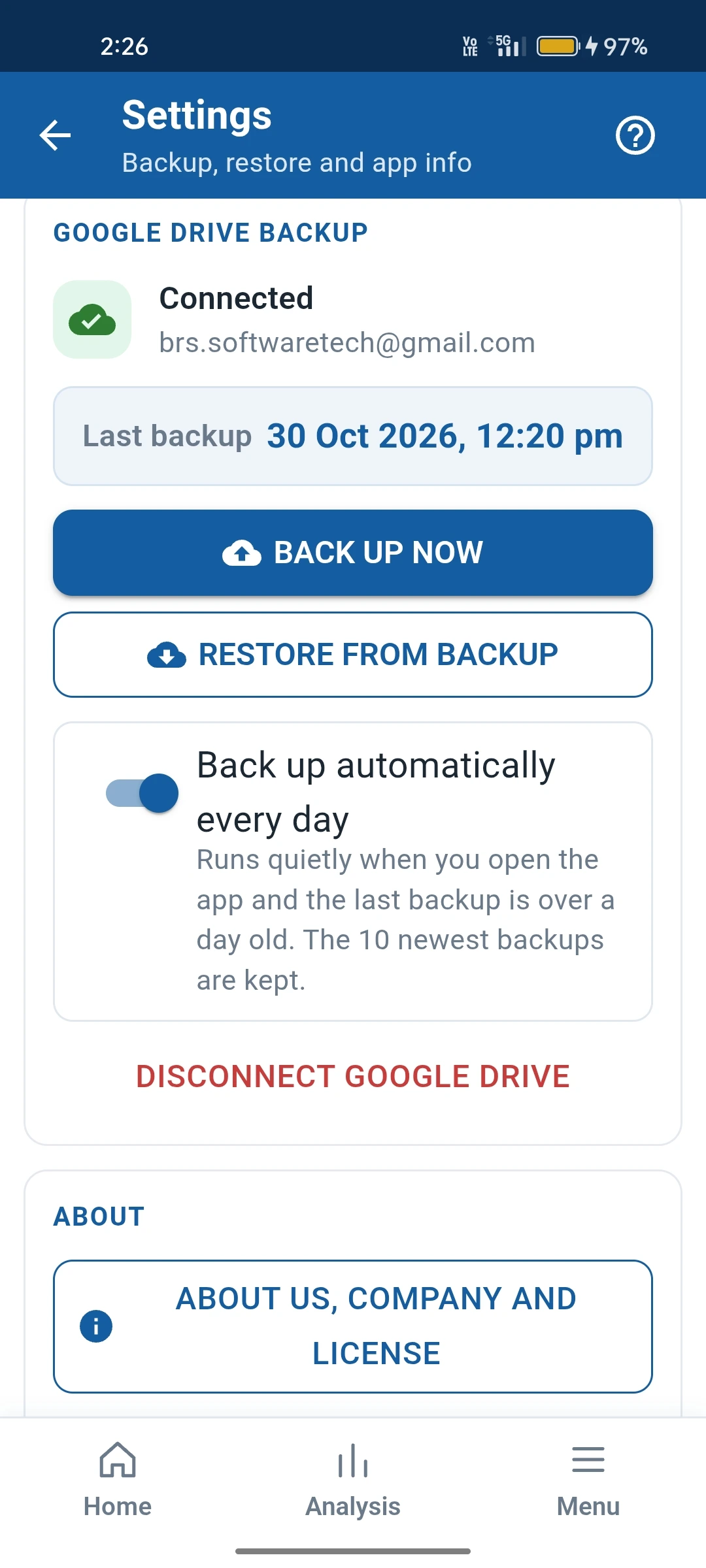
Your records are backed up to your own Drive account — you stay in control of your farm data.

Your Language

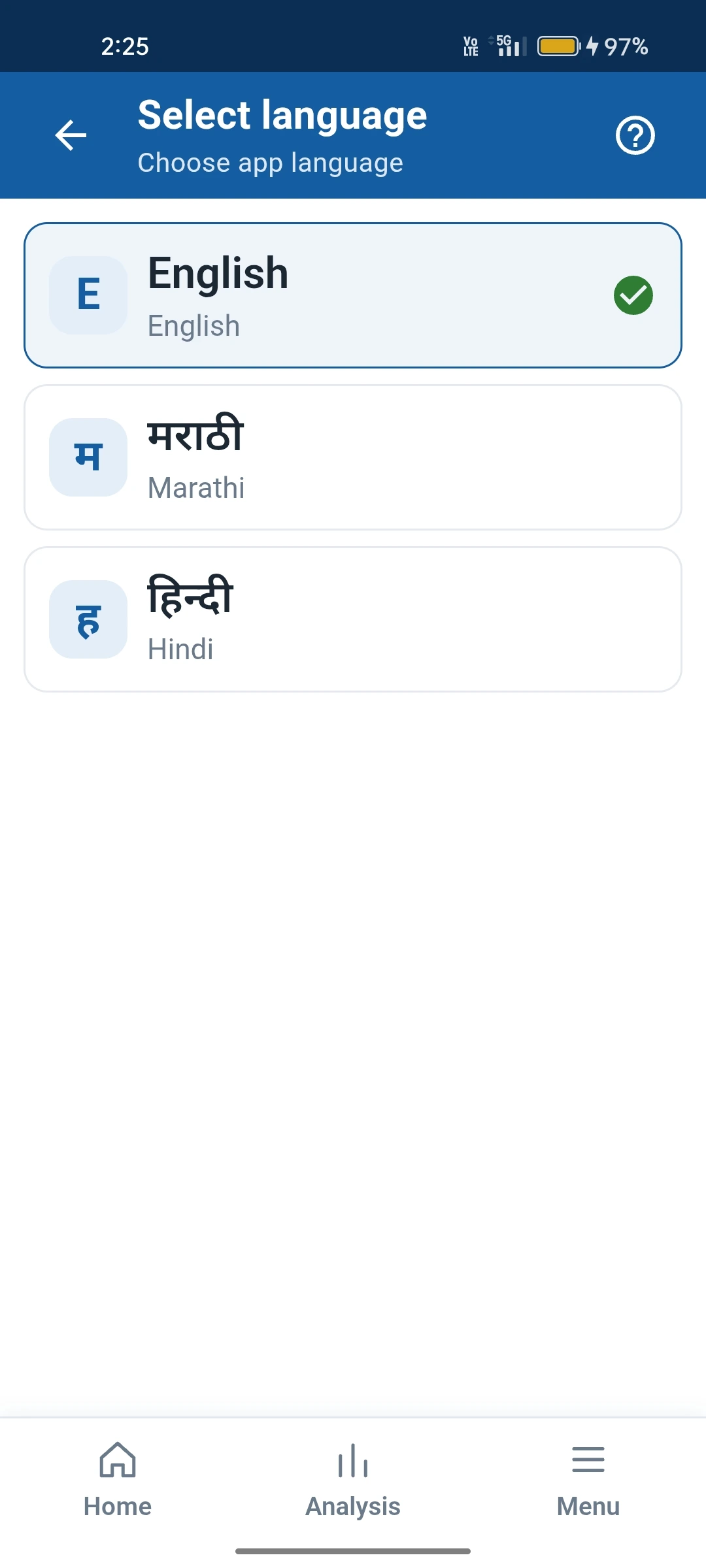
Change the app language from one screen, so the whole family and farm staff can use it comfortably.

Help on Every Page

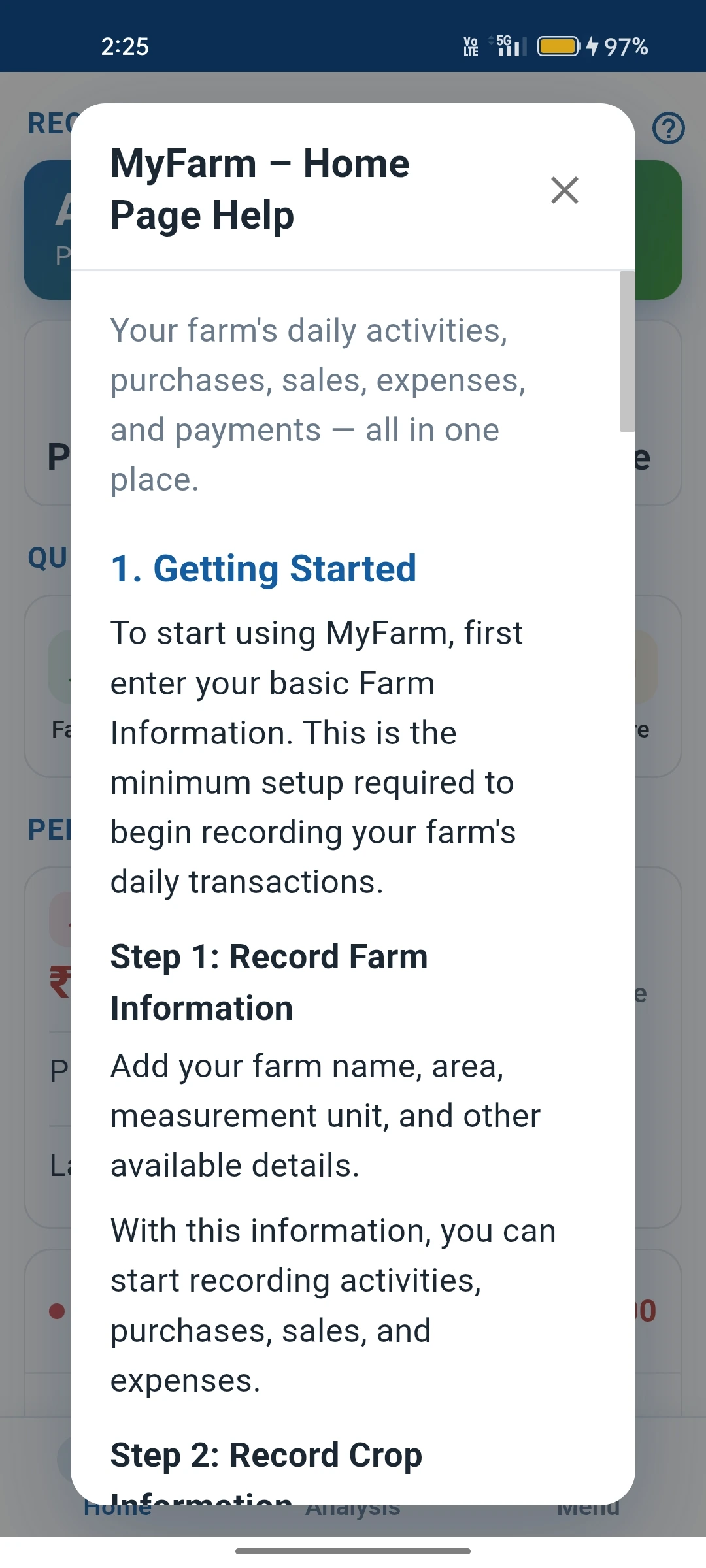
Not sure what a screen does? Tap Help to read a short explanation right there — no manual needed.

Everything on the Farm. One App.

From sowing to final payment received — every step recorded.

Land & Crops

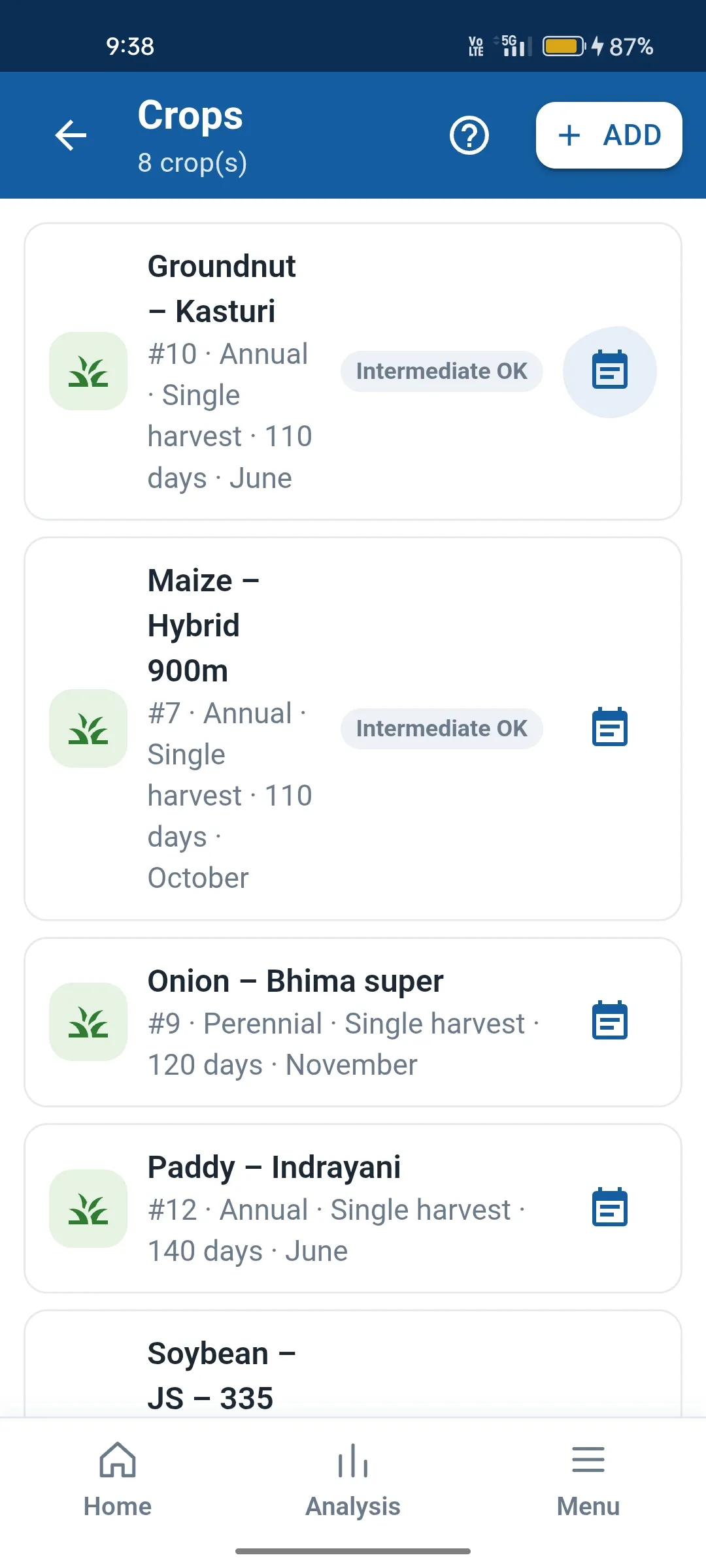
Keep your plots and the crops grown on them. Every expense and income is tied to a crop, so nothing is mixed up.

Farm Activities

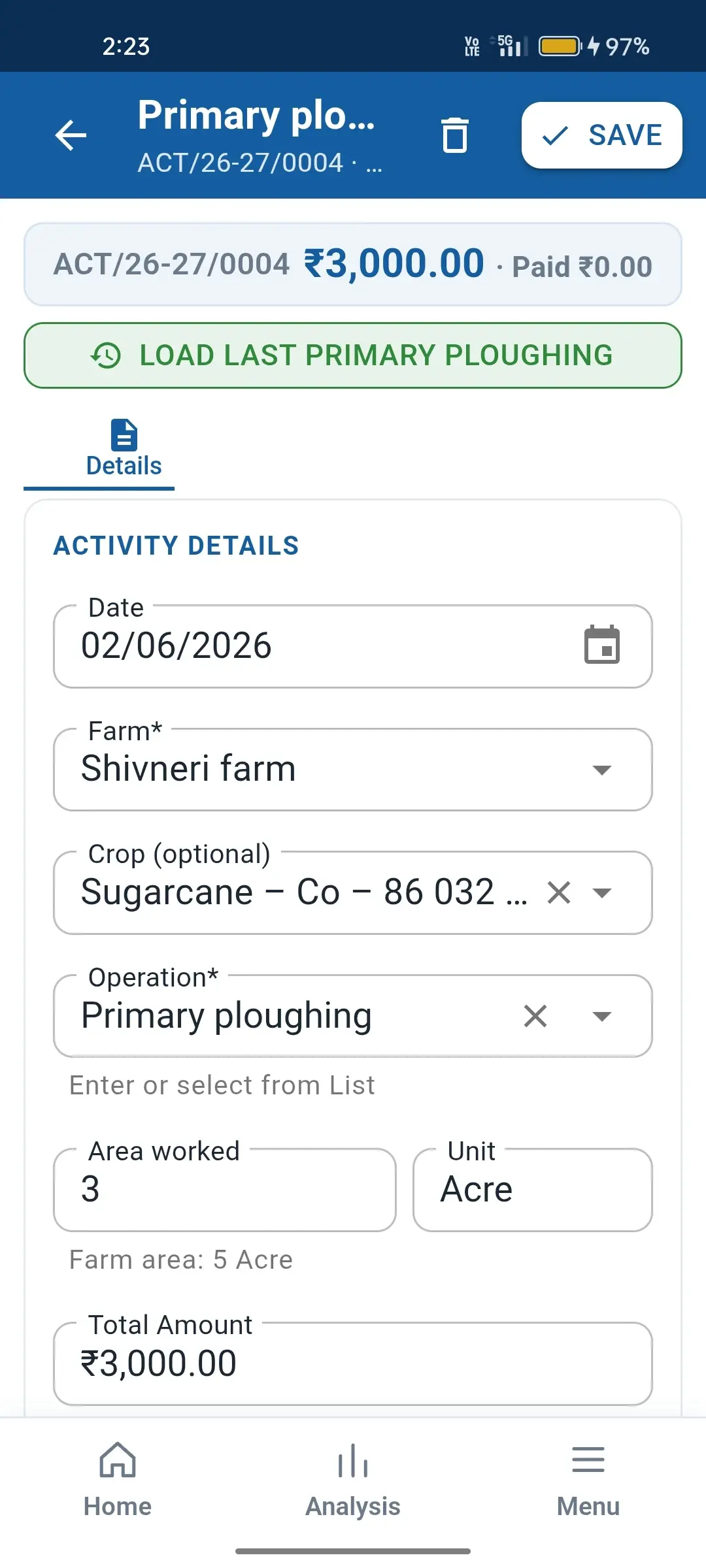
Log sowing, spraying, irrigation, labour, harvesting and more. Harvest output is captured right in the activity — main output, by-product and waste.

Purchases, Sales & Transport

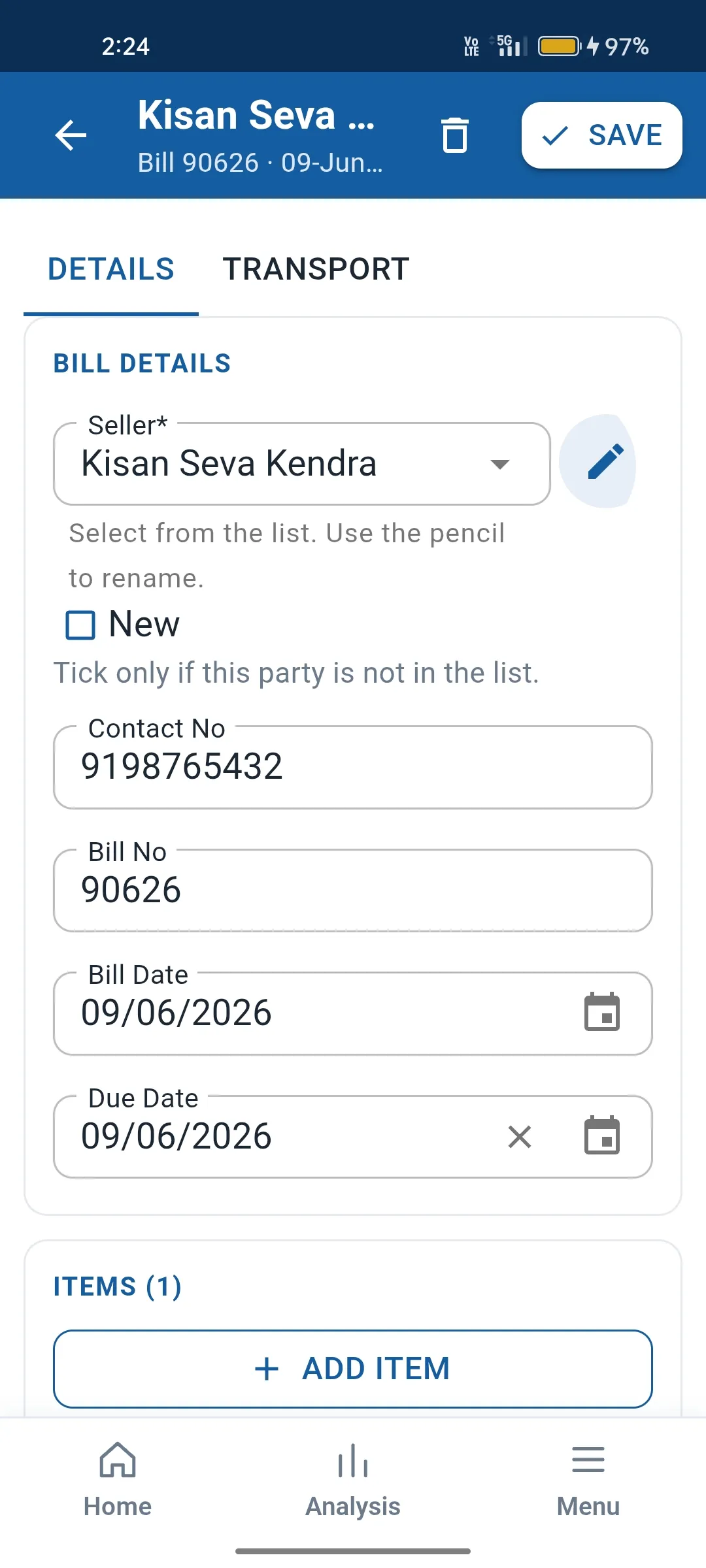
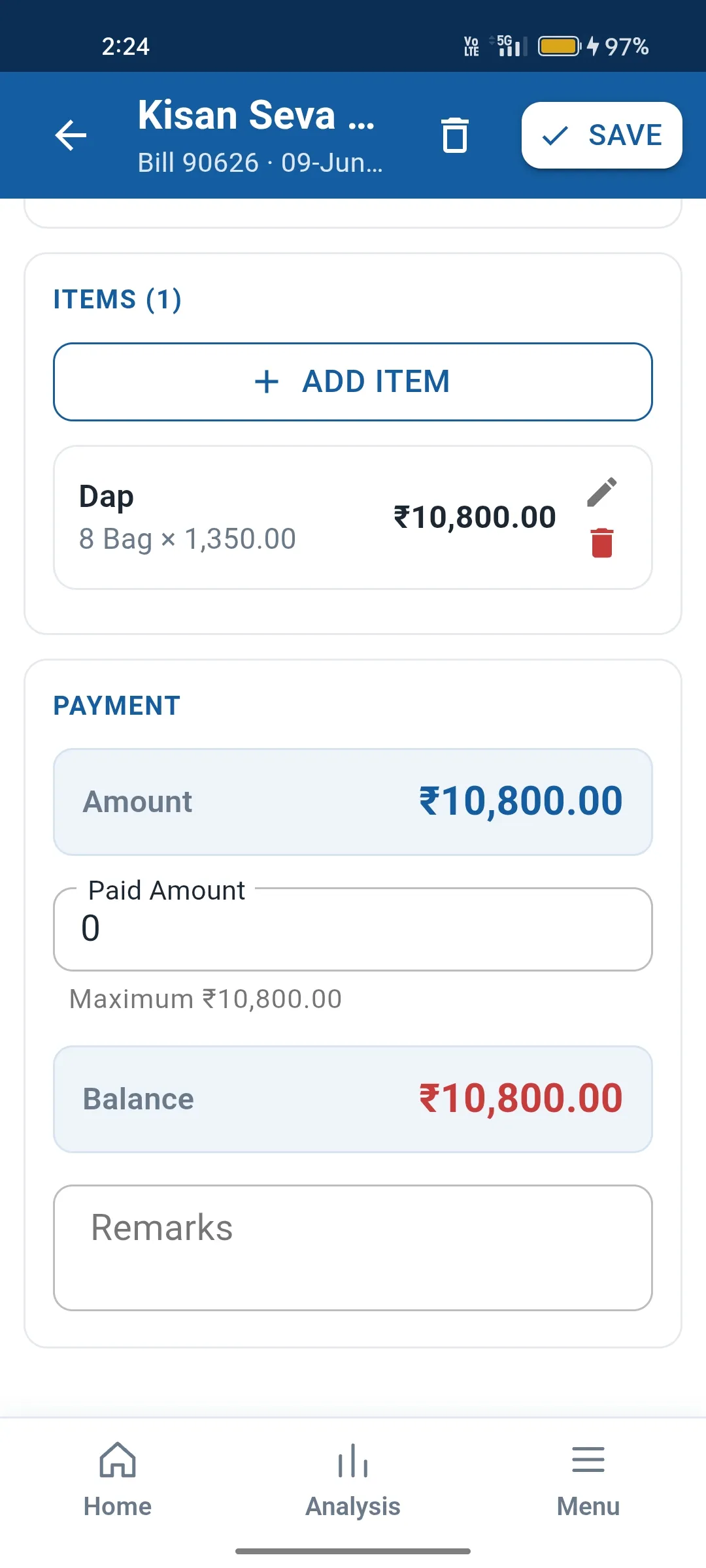
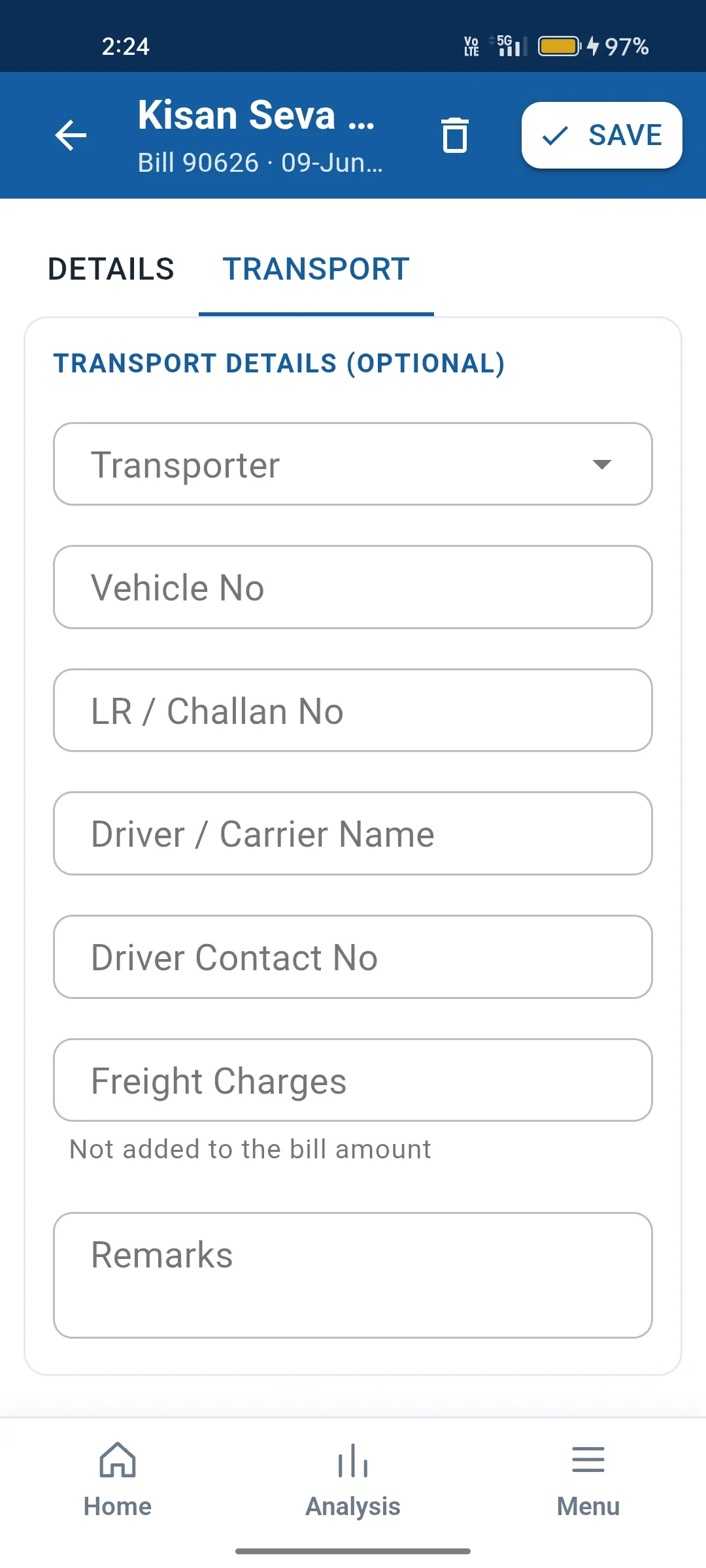
Record seeds, fertiliser and other purchases item by item, every sale of your produce with quantity and rate, and the transport cost of each.

Labour & Contractors

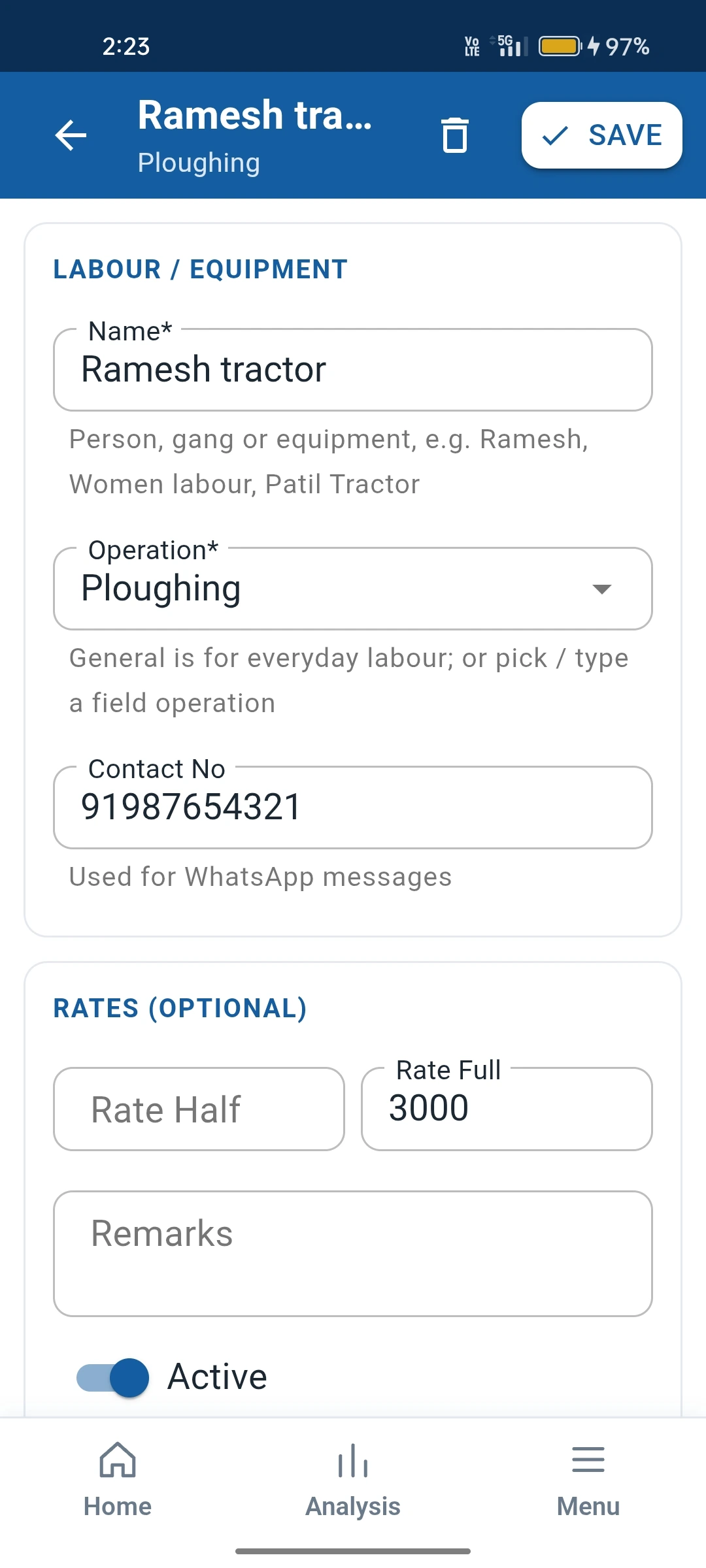
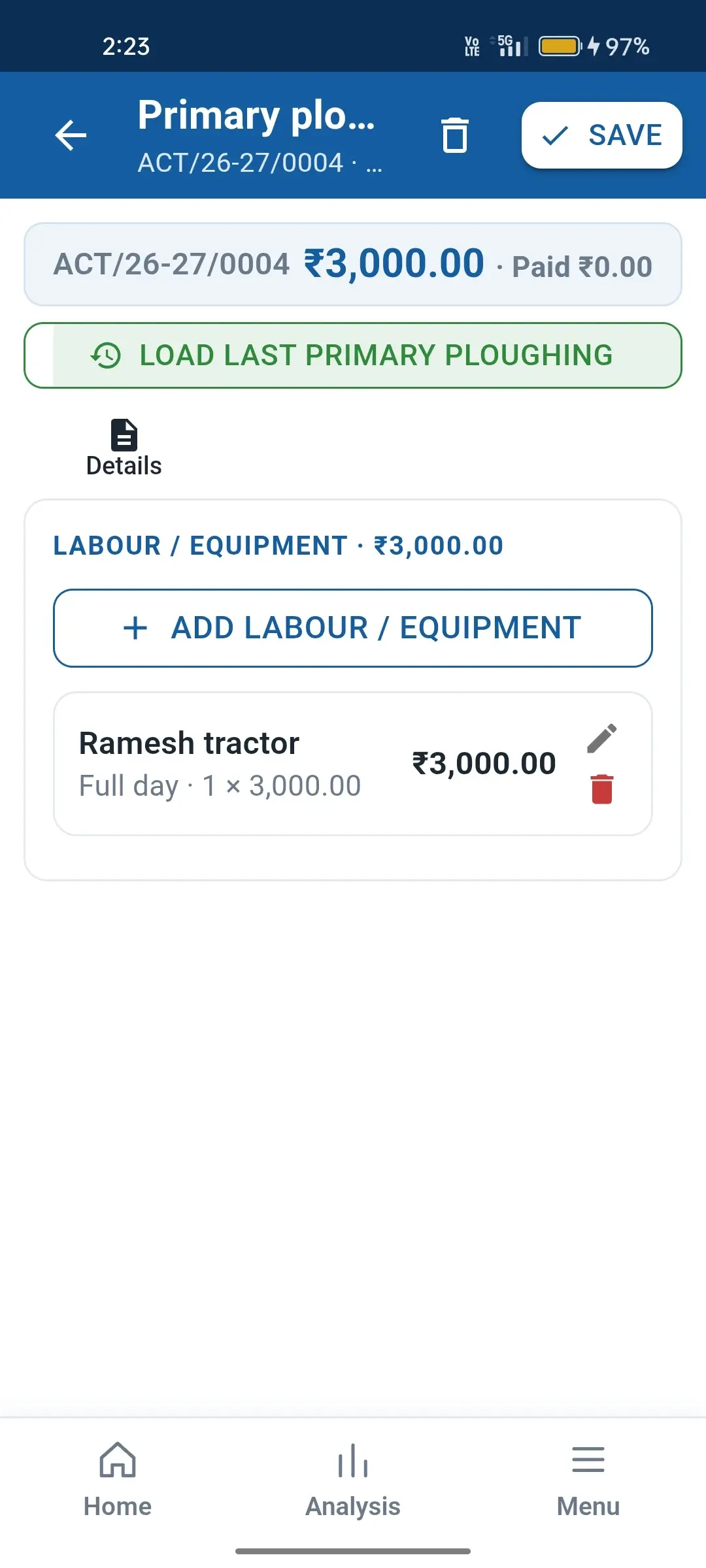
Keep your labourers and contractors, log their work against each activity, and track what you have paid and received so pending amounts are always clear.

Stock Reconciliation

One simple entry at a time. Settle Tentative harvest figures against what was actually produced and sold, updating output quantity, sale quantity and rate.

Analysis Reports

Seven ready reports — Dashboard, Farm Overview, Crop Comparison, Crop Performance, Expense Analysis, Harvest & Sales, and Payments & Receipts.

Crop-wise Expenses Main Output & By-product Tentative Harvest Flag Sale Quantity & Rate Pending Payments Labour & Contractors Transport Costs Crop Comparison Expense Analysis Google Drive Backup Change Language In-app Help

See it in action

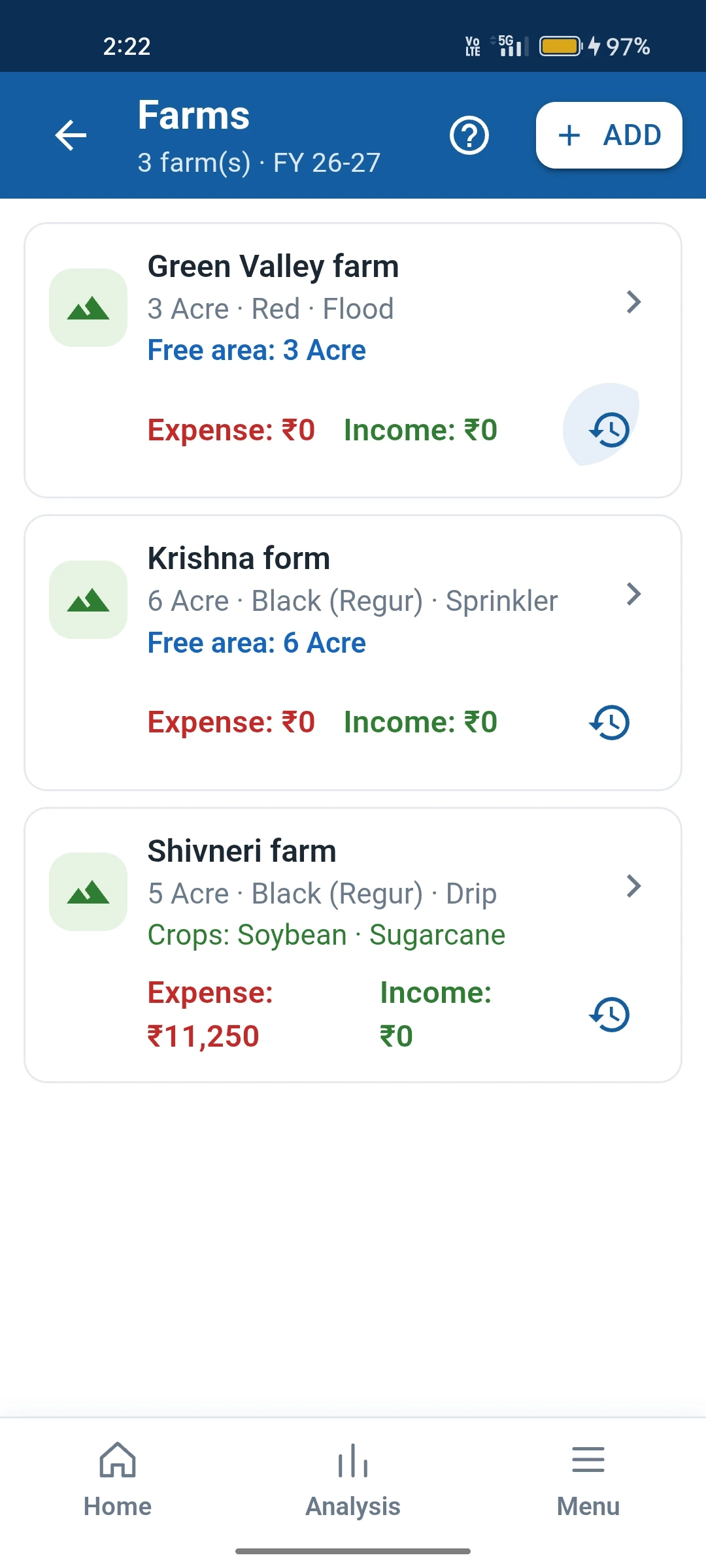
A clean, easy-to-read interface made for use in the field.

(Using Dummy Data)
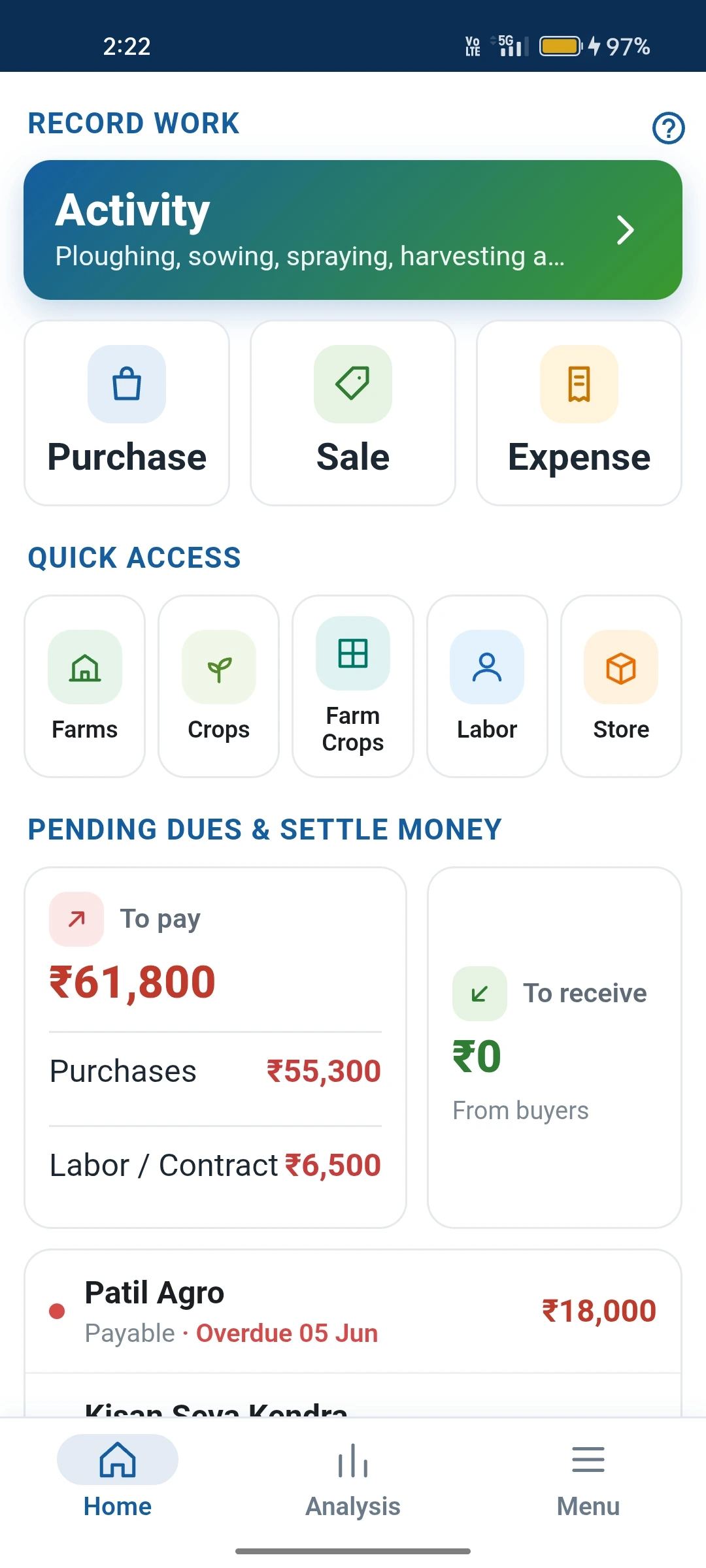
MyFarm home screen
Farms
Crops
Labour
Purchase and sale
Items
Transport
Main activities
Labour and contract activities
Help
Language
Backup
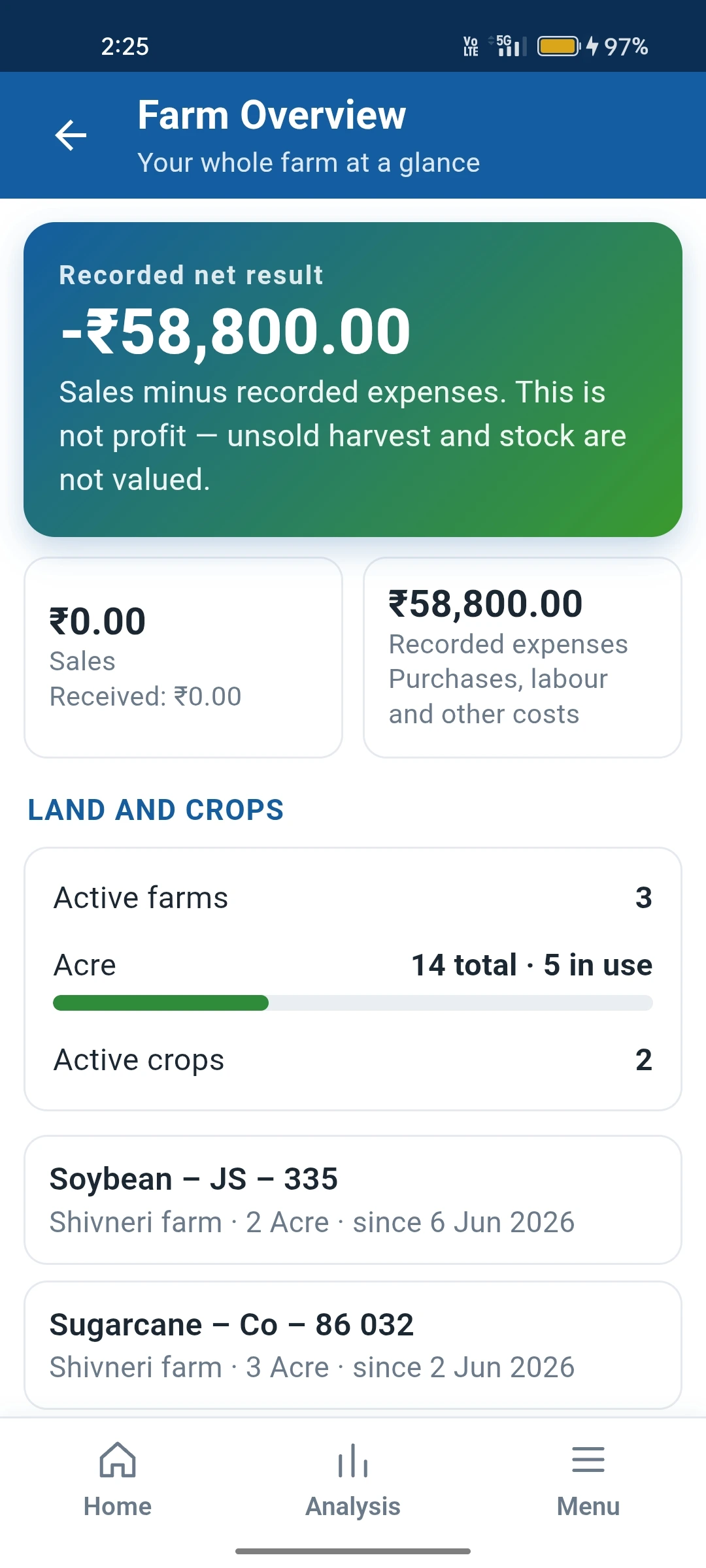
Farm Overview report
  • Dashboard and Farm Overview at a glance.
  • Crop Comparison — which crop gave the best return.
  • Expense Analysis — where the money is going.
  • Harvest & Sales — quantity produced versus sold.
  • Payments & Receipts — what is paid and what is pending.
  • Stock Reconciliation for Tentative harvest entries.
  • Change language and Help available on the screens.
  • Backup of your data to your own Google Drive.

From Sowing to Money in Hand — Every Step Recorded.

Six steps. One app. No guesswork.

01

Set Up Land & Crop

Add your plot and the crop for the season. Everything that follows is recorded against it.

02

Buy Inputs

Record seeds, fertiliser, pesticides and other purchases item by item, with transport cost.

03

Log Activities

Sowing, spraying, irrigation, labour — each activity adds to the crop's cost, in a few taps.

04

Harvest

Enter main output, by-product and waste. Mark Tentative if the final quantity is not known yet.

05

Sell & Receive

Record sales with quantity and rate, then payments received. Pending amounts stay visible.

06

Analyse & Plan

Open Analysis to see profit per crop, compare crops and plan the next season with real numbers.

Made for People Who Work the Land

If you grow, harvest and sell — and want to know where the money went — MyFarm is for you.

Individual Farmers

Replace notebooks and memory with clear records of every expense, harvest and sale across your fields.

Multi-crop & Multi-plot Farms

Grow several crops on several plots? Keep each separate and compare them to see what actually pays.

Family Farms

One shared record of the farm so everyone in the family sees the same numbers.

Cash-crop Growers

Sugarcane, vegetables, fruit and other crops sold in parts — track every lot, rate and pending payment.

Season Planning

Look back at what each season cost and earned, and plan the next one with your own numbers.

Farm Managers

Keep a clean record of activities, labour and produce for owners who are not on site every day.

Run a larger agri-business that needs full ERP — inventory, accounts, manufacturing? Talk to us →


Stop guessing. Start knowing your farm's profit.

Get MyFarm and keep your whole season's records in your pocket.

Get MyFarm

Common Questions

Everything you need to know about MyFarm.

Where is my farm data stored?

Your records are kept on your phone, and backups go to your own Google Drive account. BRS Software does not hold your farm data.

How is harvest recorded?

Harvest is recorded as the output of an activity — main output, by-product and waste. If you only have an estimate, mark it Tentative. Later, use Stock Reconciliation to settle it against actual figures.

Can I see profit for each crop?

Yes. The Analysis section has Crop Performance and Crop Comparison reports that put each crop's expenses and sales together, along with Expense Analysis and Harvest & Sales reports.

What reports does the Analysis section have?

Dashboard, Farm Overview, Crop Comparison, Crop Performance, Expense Analysis, Harvest & Sales, and Payments & Receipts.

Can I use the app in my own language?

Yes. Use the Change language screen to choose the language of the app. Each screen also has a Help option explaining how to use it.

How do I get MyFarm?

Write to us via the contact form and our team will help you get started.

Get in Touch